Minecraft in 12 hours (A Reality Check)
Hello, welcome to another blog. I am currently on a holiday but I wanted to work on something fun yet new for me, which is why I thought I should code up a game! Considering how advanced AI tools have got, I thought I could go ahead and try building this popular game called MINECRAFT. Now, obviously I don't expect to make a replica of it (that would also be silly, developers spend years building that and I am not going to disrespect that by saying I am going to build that in a matter of hours).
Having said that, I am only going to work on this for the next few hours as this is just meant to be for fun and I would like to see how far I can go with this.
Anyway, let's just get to it.
12-hour marathon starts, reality check kicking in
Okay so I have chosen my tech stack using which I want to build this project - Python and Ursina Engine. Turns out it needed at least 3.12+ version of Python (I have been primarily using 3.11.9 for all of my projects), so I got that additional version added and the virtual environment created.
I installed ursina and perlin-noise and got started with all the basic essentials of the world like the blocks, terrain etc. I am not going to dive into the technical aspects in detail yet as this is still pretty new to me, but as I understand it more I would be able to explain it better.
An hour in and I still haven't been able to get the window running for the world to be rendered because of a couple of compatibility issues with the library and macOS. And by the second hour, alternatives were found and I finally got the world to be rendered!
I will attach images as to how the progression is; so far I've got:
- A world rendered: Sky and ground accomplished
- Adding and removing of blocks done
- Three types of blocks to toggle around: (1) grass, (2) dirt and (3) stone
- WASD for movement
- Space bar for jumping
- Mouse movements for POV
- Avatar hand
Here are some outputs of how the initial world looks like:
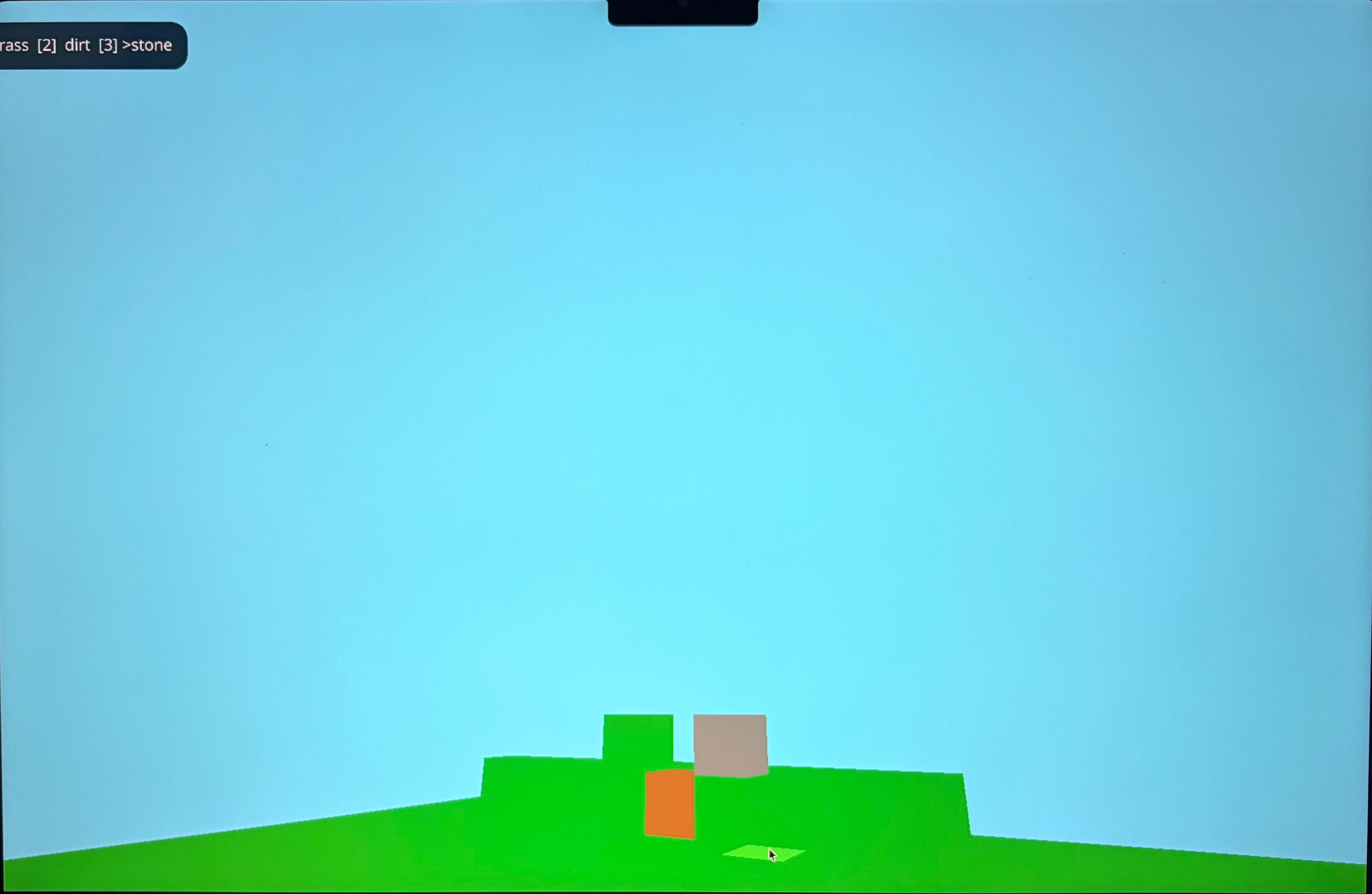
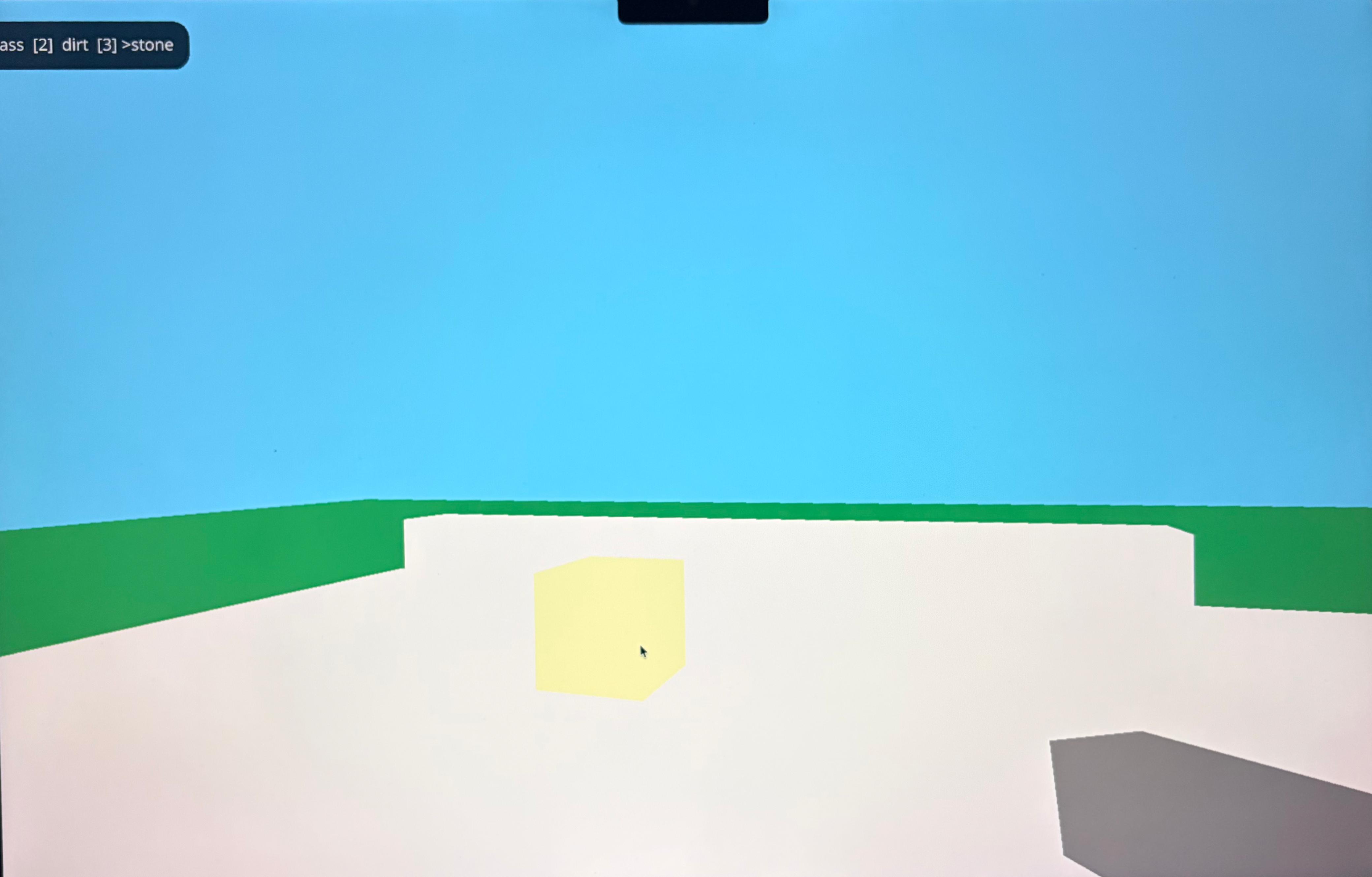
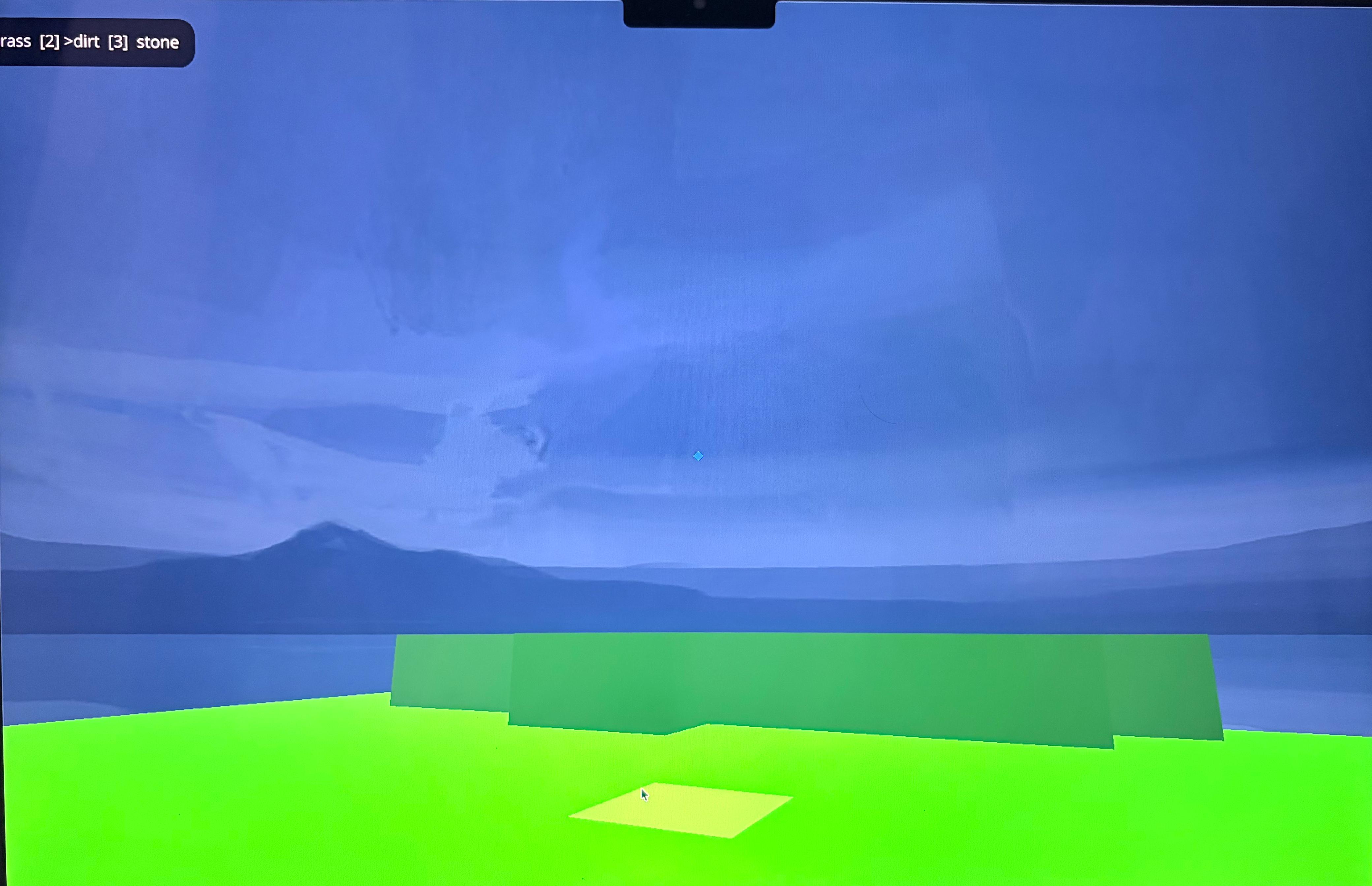
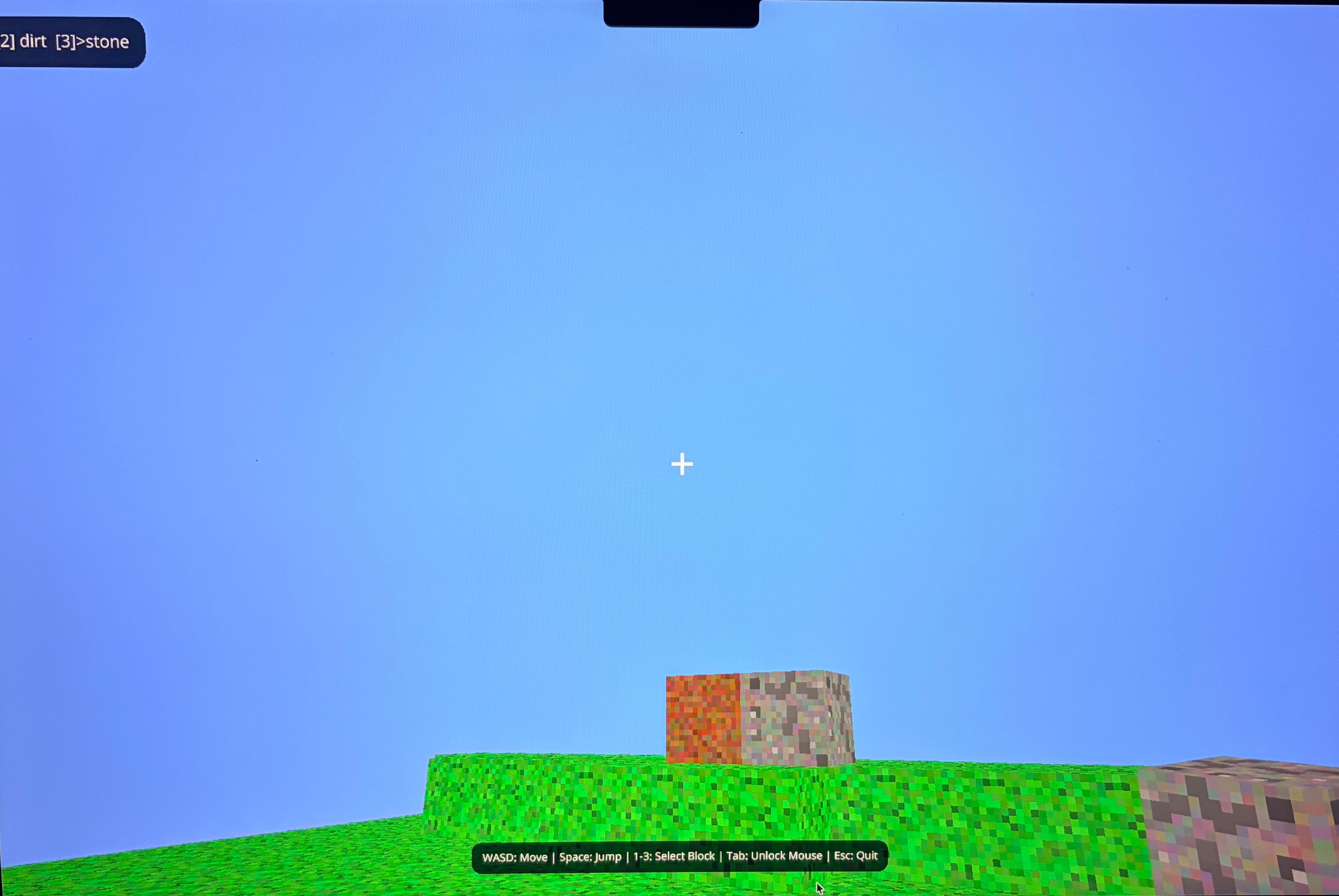
While those were the essentials, it still looks very, very naive as seen in the images. I intend to view some tutorials on this to have some understanding; let's see how that goes.
Post Knowledge gaining
Okay so I watched this great tutorial that simplified a lot of things. It especially broke down some components I had vibe coded in the initial hours, so I am definitely in the right direction. The question is how close to the game I can get.
I took a step back with the approach and stuck with a single Python script this time and got my hands on some much better assets to get the textures of all the elements in the game right.
The code is fairly simple, here is a breakdown of it:
The crucial imports
from ursina import *
from ursina.prefabs.first_person_controller import FirstPersonController
Here we just imported all the packages that came with the
ursinalibrary. The second one was crucial as that is essentially what gives us the 3D world effect. So before we add that, all the elements would look 2D like a Mario game. Adding this is like adding an avatar and therefore gives us a perspective of it, therefore giving us a 3D world!
The structure
app = Ursina()

player = FirstPersonController(position=(10, 10, 10))
player.cursor.visible = False
sky = Sky()
generate_tress()
generate_terrain()

if __name__ == "__main__":
    app.run()
That first line is what triggers the Ursina engine. The last 2 lines are explanatory as we use it in all Python scripts, especially if that's the one you are going to run. The lines of code between those are what define the Minecraft world we are going to create: The avatar (along with its coordinate position), Sky, Trees and Terrain. Each of those would have their Class aka
Entity(as said in Ursina docs) which we will create next.
Now, along with Entity mentioned above, Ursina automatically looks for these other functions even if they aren't explicitly called. Those are update() and input().
Those are what we will be using to make the primary element of Minecraft, i.e., Blocks.
Building the blocks
def update():

    global block_pick

    for i in range(1, 6):

        if held_keys[str(i)]:
            block_pick = i
            break

    if held_keys["escape"]:
        application.quit()

    if player.y <= -5: #Respawn if player falls
        player.position = (10, 10, 10)
This is prolly my favourite function as this was the first one I worked on. These are also the most important functionalities including:
- Being able to exit the game.
- If the avatar fell off from the boundaries, it should respawn back to the world.
That first loop is what controls the different types of blocks to add in the game; we have already defined a dictionary with all the keys.
textures = {

'1': load_texture('Assets/Textures/Grass.png'),
'2': load_texture('Assets/Textures/Dirt.png'),
'3': load_texture('Assets/Textures/Wood.png'),
'4': load_texture('Assets/Textures/Brick.png'),
'5': load_texture('Assets/Textures/Stone.png')

}
Now let's make the fundamental block (I am also adding the code where we defined the sky and the sound to be played when picking the blocks).
Note: Sky texture was defined separately here as it was more of a constant in terms of the environment of the game.
sky_bg = load_texture('Assets/Textures/Sky.png')
build_sound = Audio('Assets/Sounds/Build.wav', loop=False, autoplay=False)

block_pick = 1

class Block(Button):

    def __init__(self, position=(0,0,0), texture=textures['1'], breakable=True):

        super().__init__(
            parent=scene,
            position=position,
            model="Assets/Models/Block.obj",
            origin_y=0.5,
            texture=texture,
            color=color.rgb(0,0,random.uniform(0.9,1)),
            highlight_color=color.light_gray,
            scale=1
            )
        self.breakable = breakable


    def input(self, key):

        if self.hovered:

            if key == 'left mouse down':
                build_sound.play()
                new_block = Block(position=self.position + mouse.normal,
                texture=textures[str(block_pick)])

            if key == 'right mouse down' and self.breakable:
                build_sound.play()
                destroy(self)
The different parameters you see here are all part of what
Ursinaoffers us; we only use the ones that we need. The important one to note here in terms of the authenticity of the game would be to add the property ofbreakable. Only if the block has been set toTruecan the avatar pick it; else if there is something like the bedrock which shouldn't be picked, it must be set toFalse.
Similarly, we also define the sky:
class Sky(Entity):

    def __init__(self):
        super().__init__(
        parent=scene,
        model='sphere',
        texture=sky_bg,
        scale=150,
        double_sided=True
        )
The standout property for me here was the
model='sphere'; this is what gave me the whole world-like vibe, especially when you use the avatar to look up at the sky.
Building the land foundation
This is what we call in Minecraft the terrain; it's essentially the land where our avatar will stand. In our case, we will be building it in layers. This gives it depth and will also be similar to how it was in the game. The only added point will be that after having added the layers, there will be a final base layer underneath all of it, which will be set to unbreakable.
def generate_terrain():

    height = 5

    for z in range(20):

        for x in range(20):

            for y in range(height):

                if y == height - 1:
                    Block(position=(x,y,z), texture=textures['1'])

                elif y > height - 4:
                    Block(position=(x,y,z), texture=textures['2'])

                else:
                    Block(position=(x,y,z), texture=textures['5'])

            Block(position=(x,-1,z), texture=textures['5'], breakable=False)
A touch of nature
Finally, let's add some trees shall we (our character gotta be able to breathe so xD)
class Tree(Entity):

    def __init__(self, position=(0,0,0)):

        super().__init__(
            parent=scene,
            position=position,
            model='Assets/Models/Lowpoly_tree_sample.obj',
            scale=1,
            collider='mesh'
        )


def generate_tress(num_trees=5, terrain_size=20):

    for _ in range(num_trees):

        x = random.randint(0, terrain_size - 1)
        y = 3
        z = random.randint(0, terrain_size - 1)
        Tree(position=(x,y,z))
And that is it! With that we have essentially created a simple Minecraft world!
Finally, it's worth mentioning that we didn't really code up anything for the movement of our avatar, and this is where Ursina becomes great because it handles all of that internally, so the package comes with a whole lot of useful default features as well!
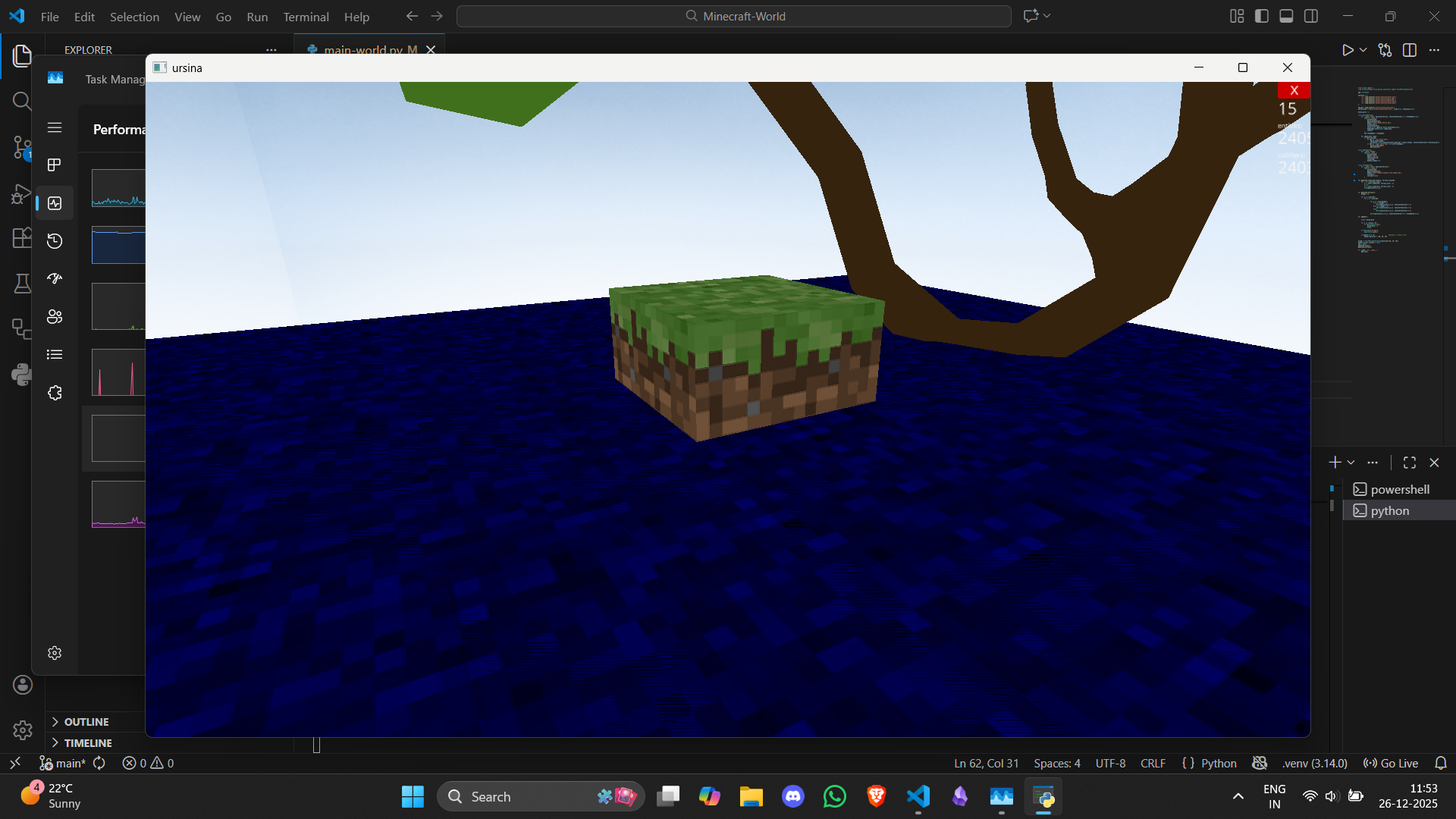
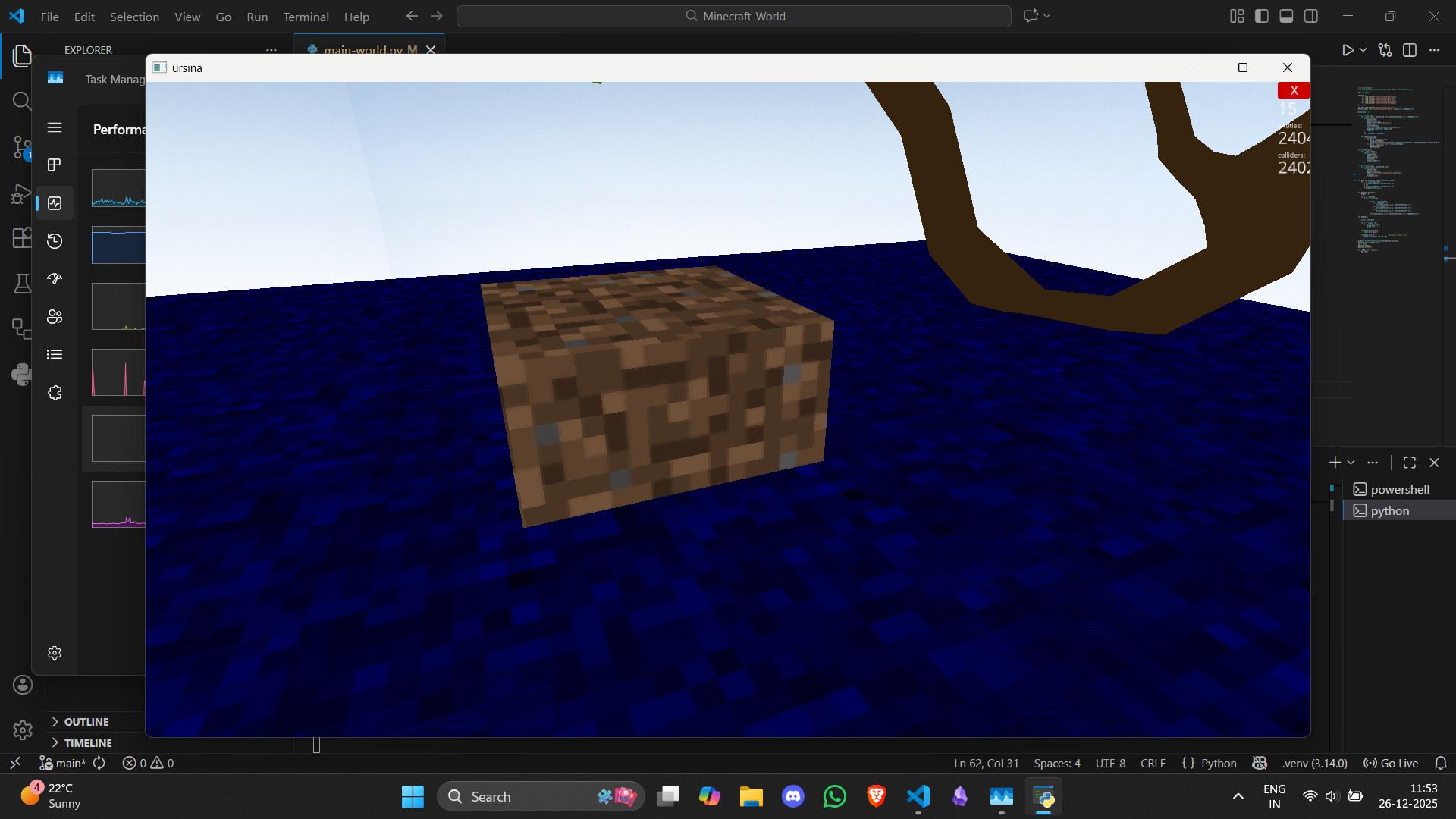
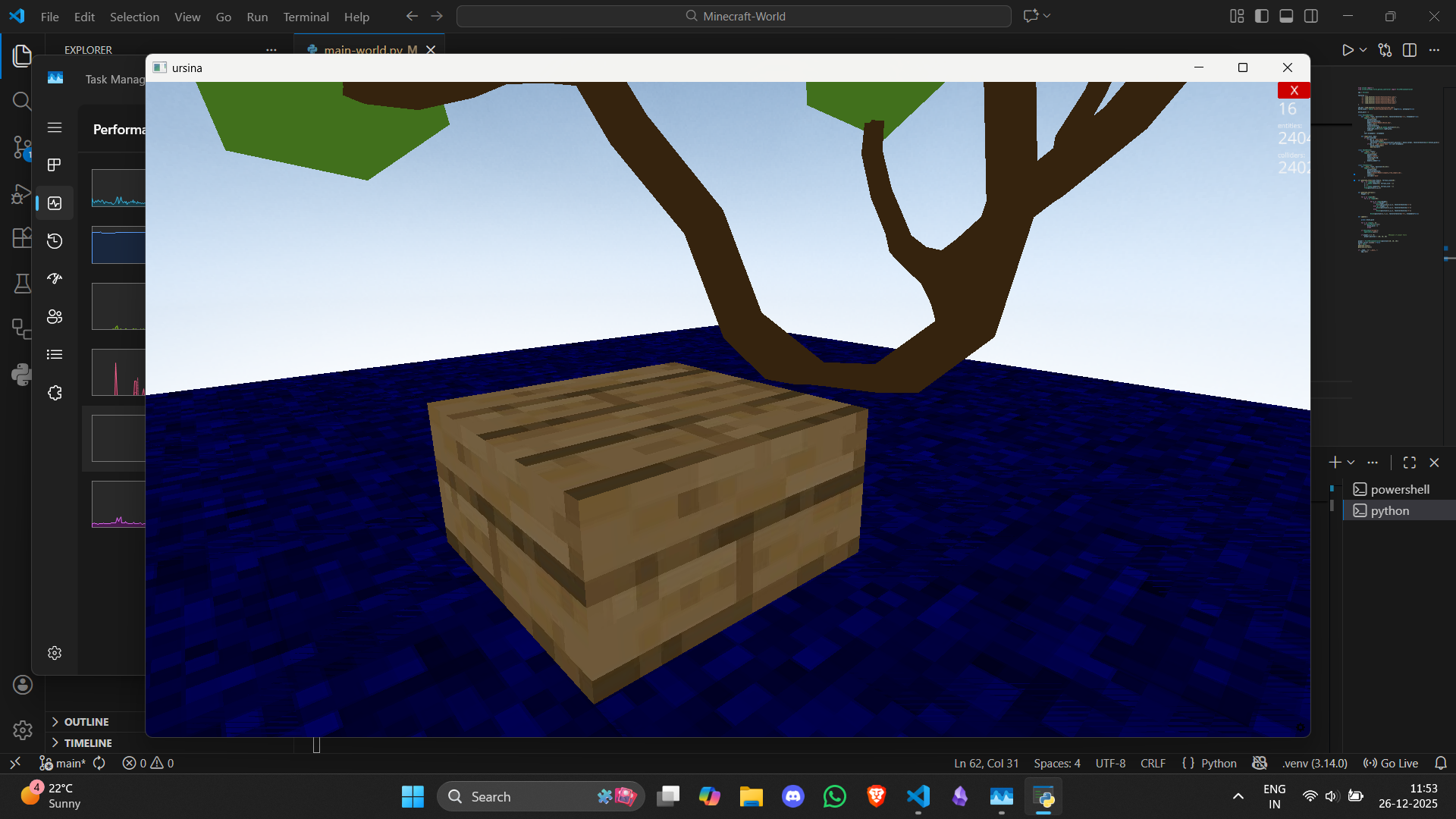
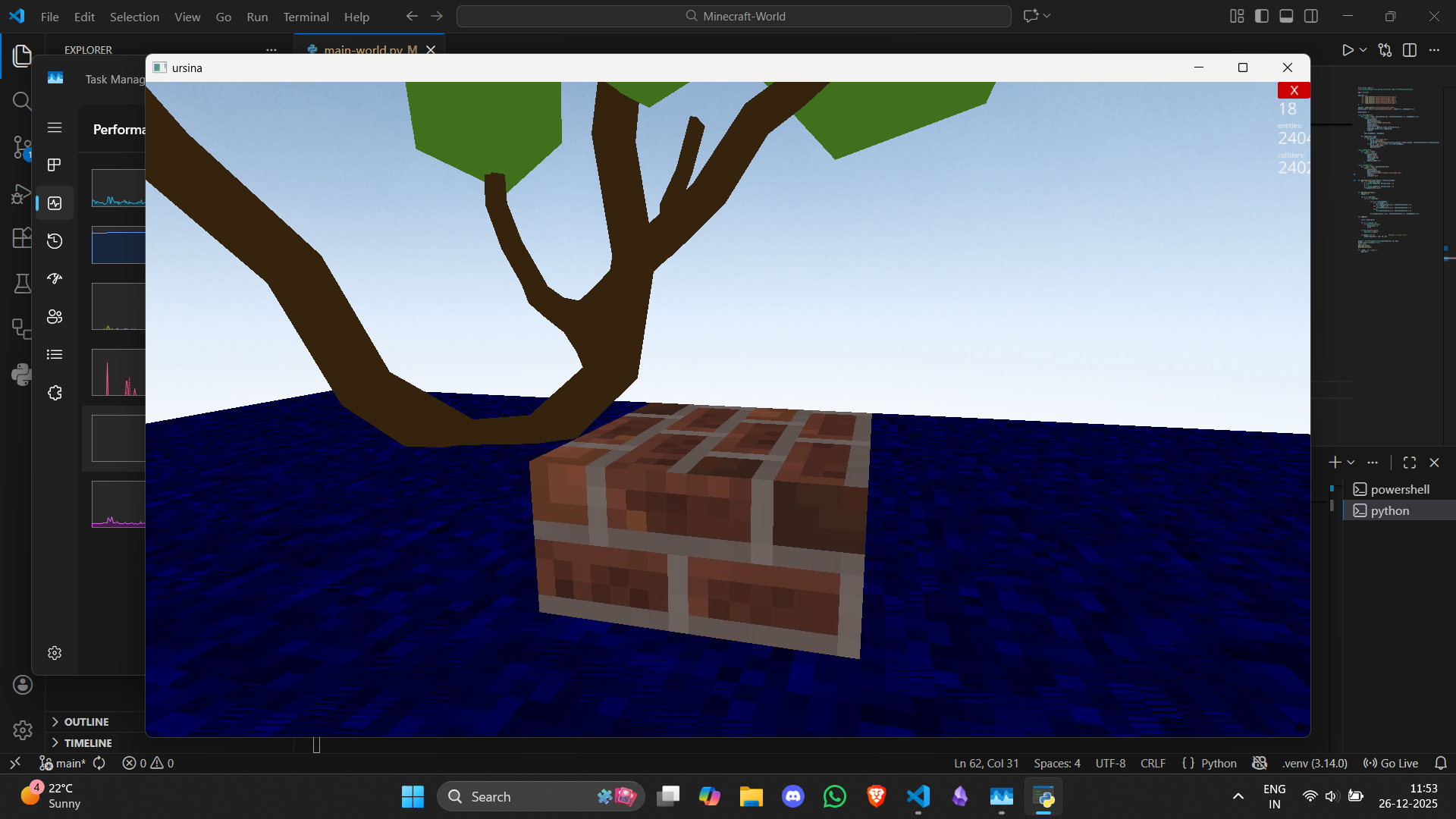
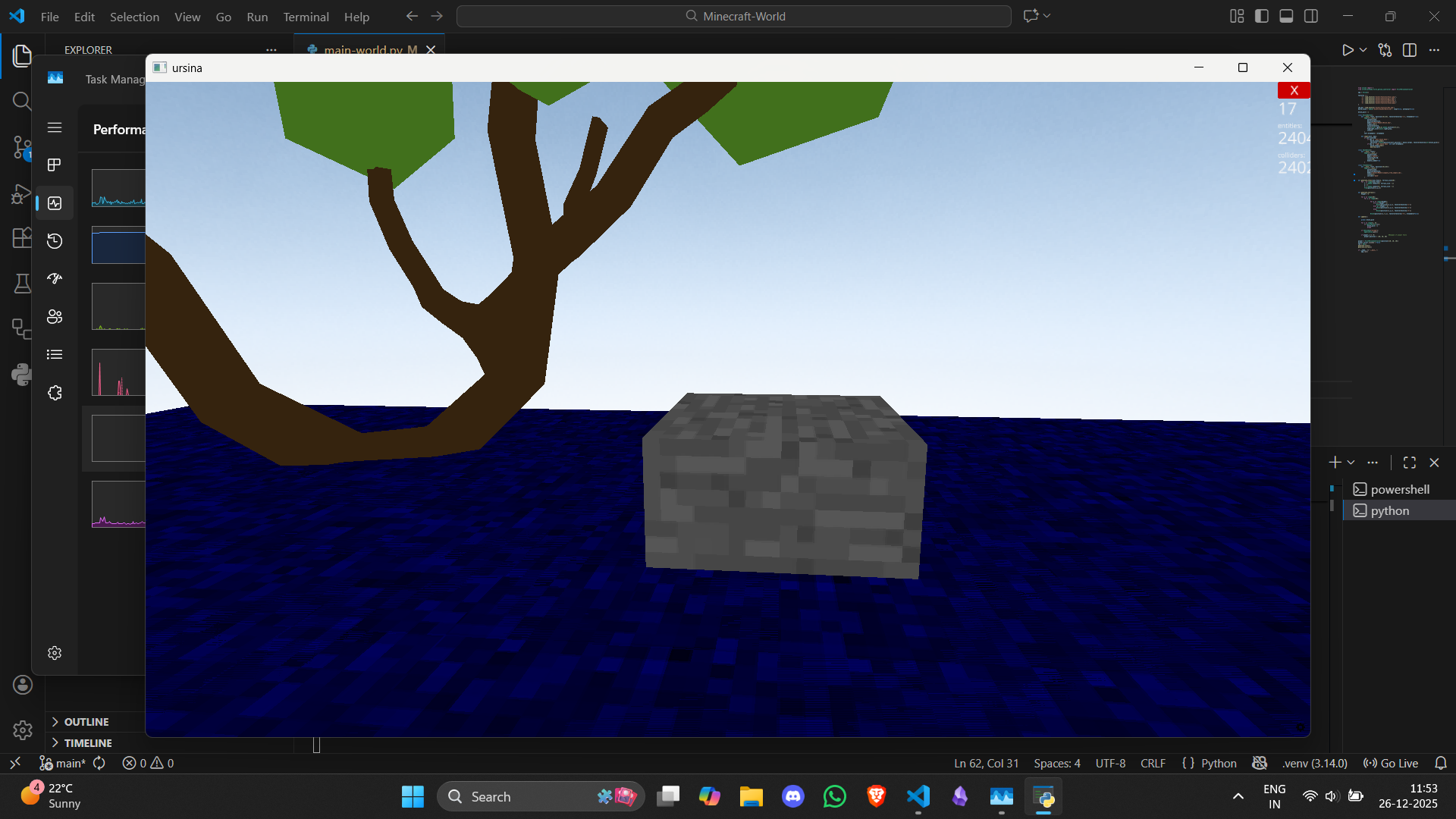
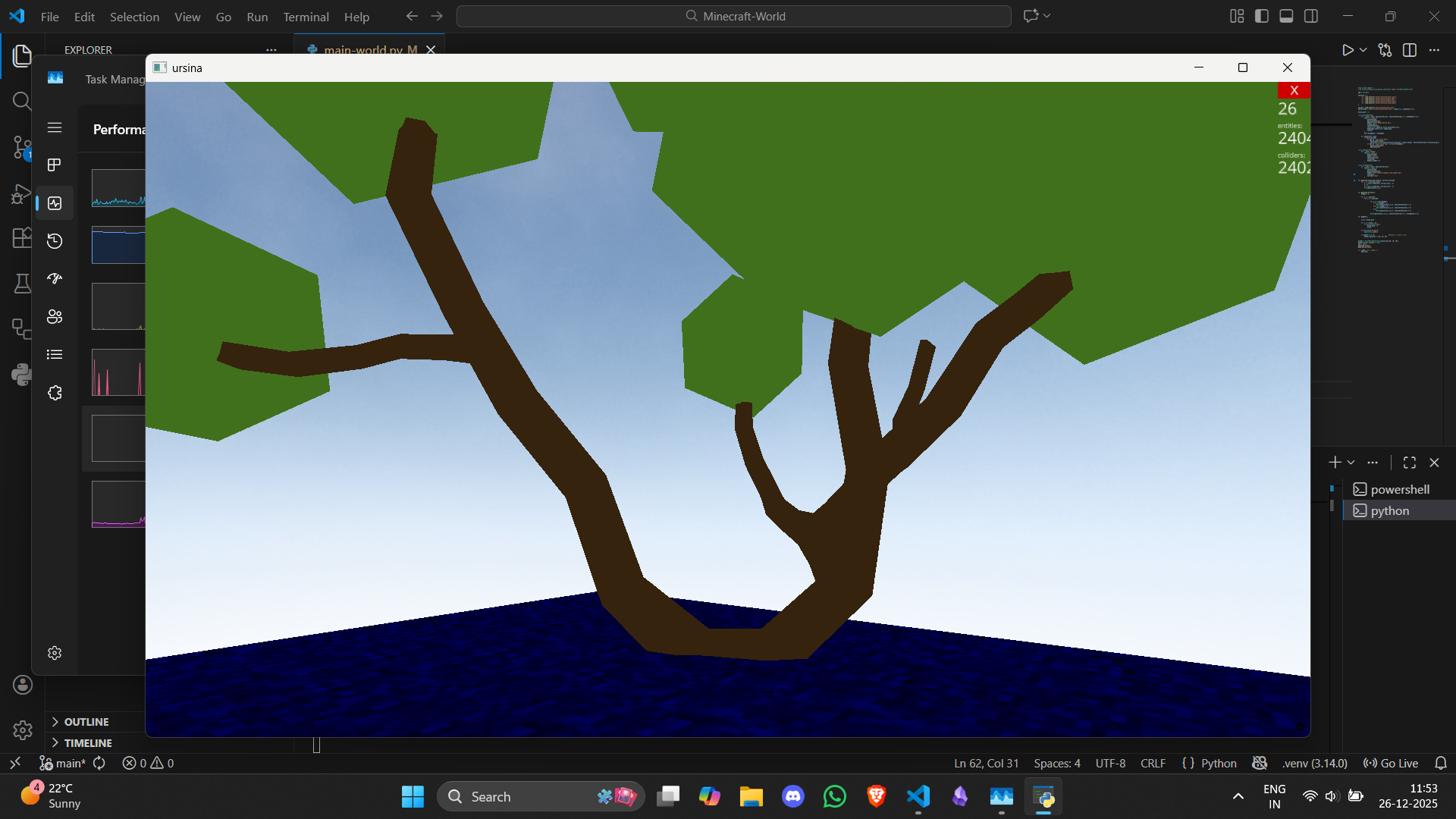
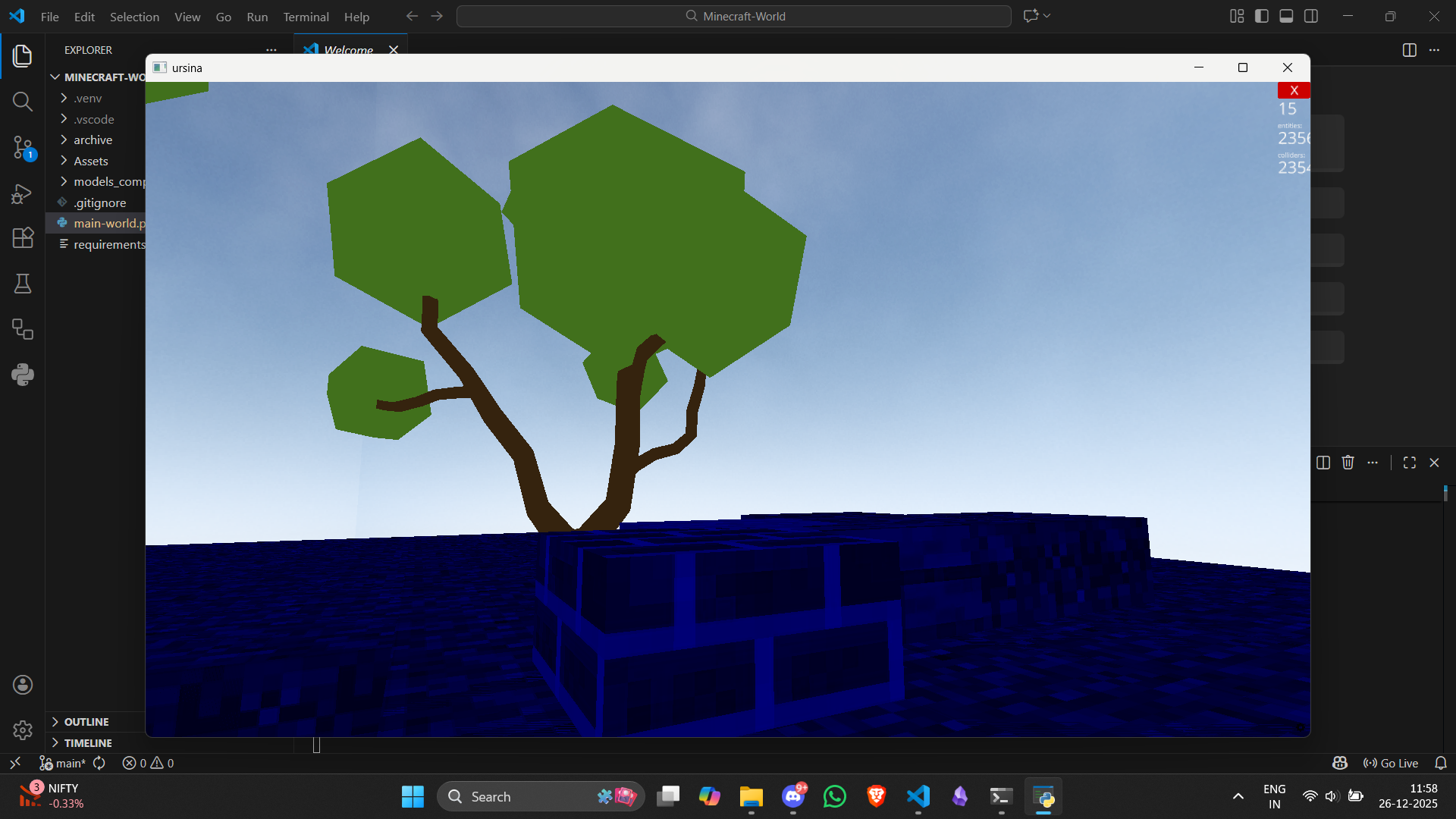
Here is what the world looks like after we run this script:
Stay Humble Eh
As you can see in the screenshots, the terrain did not render as expected. It only loaded per block as I kept highlighting it. Another thing to note is that I couldn't run this on my Apple Silicon as expected; there were just so many restrictions and compatibility issues, especially with the shades of the elements. I tried debugging that for like an hour or two but no luck, so what I did was run this same code on my Windows (I also have a HP Gaming laptop with a generous 4GB VRAM in NVIDIA GPU); although it did run smoothly, the rendering of the blocks didn't happen exactly as expected (which is what you see in the screenshots).
As a final note, we could spend a couple of days trying to improve this, but I am not going to do that now as there are few other things I would like to try out and learn at the moment.
But this was fun nonetheless and was my first taste of maybe how games could be developed in an environment where I earn for a living. So huge respect for anyone who works in the gaming industry. I've always had that respect since the start and I never shy away from saying that out loud whenever I get my hands on a great game.
Thank you for reading, see you in the next one. Happy learning and Happy holidays!