
Tool Use
What are tools?
Just as we as humans can do a lot more with tools than we can with just our bare hands, LLMs too can also do a lot more with access to tools. If you were to write a function and give the LLM access to this function, then that lets it respond with a more useful answer. When we let LLMs call functions, or more precisely, let an LLM request to call functions, that's what we mean by tool use, and the tools are just functions that we provide to the LLM that it can request to call.
One important aspect of tool use is, we can leave it up to the LLM to decide whether or not to use any of the tools. Another thing you would notice is that, unlike all of our above examples tools aren't hard coded or fixed to a part of the workflow.
So as a developer, it'll be up to you to think through what are the sorts of things you want an application to really do, and then to create the functions or the tools that are needed to make them available to the LLM to let it use the appropriate tools to complete the sorts of tasks that maybe a restaurant recommender or a retail question answer or a finance assistant may want to do. So depending on your application, you may have to implement and make different tools available to your LLM.
Now, there are also many use cases where you want to make multiple tools or multiple functions available for the LLM for it to choose which of any to call. Like how we see in the following image.
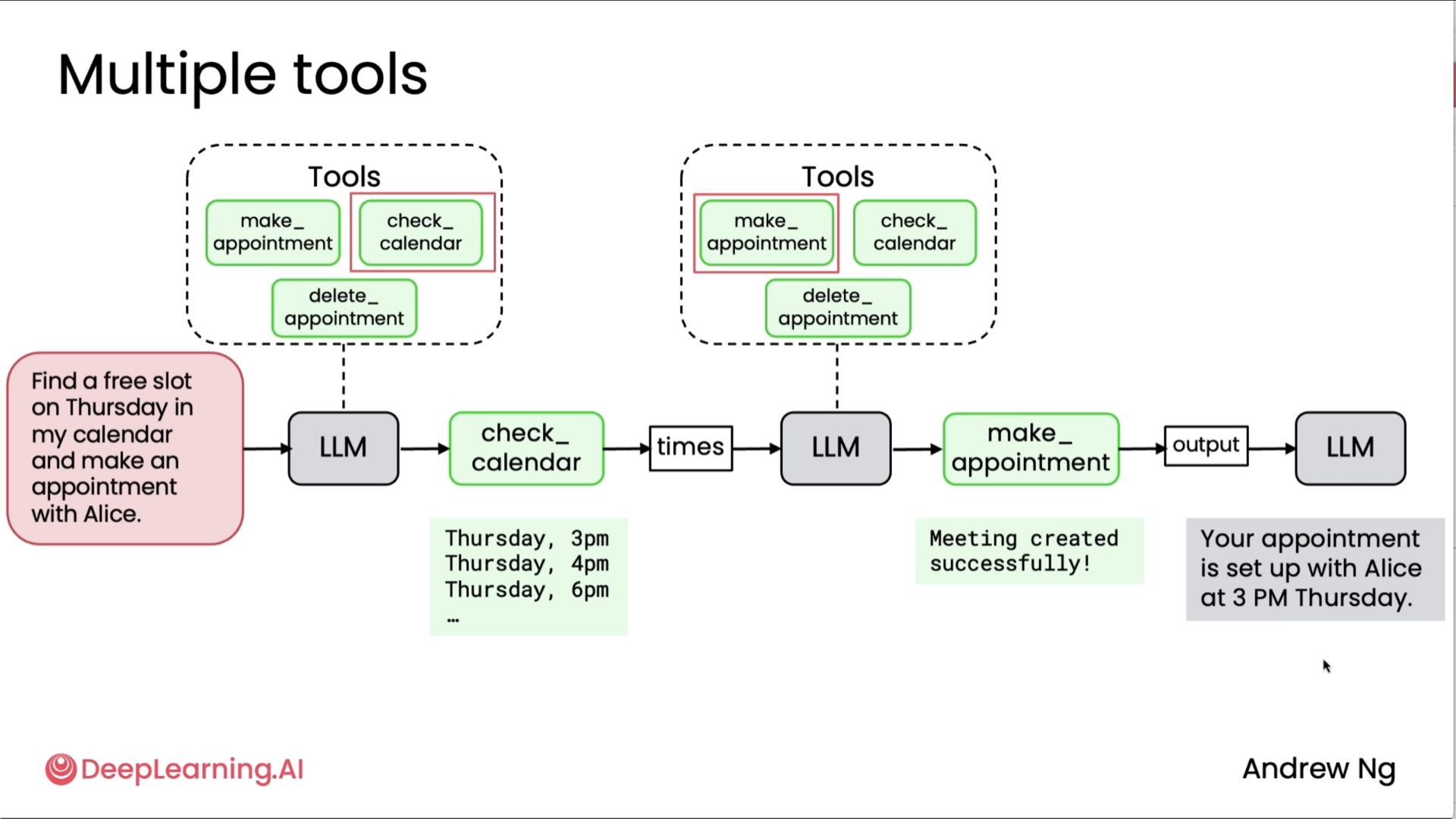
Being able to give your LLM access to tools is a pretty big deal. It will make your applications much more powerful.
Creating a tool
Here sensei shows what it would look like if you had to write prompts yourself to tell it when to use tools, and this is what we had to do in an earlier era before LLMs were trained directly to use tools.
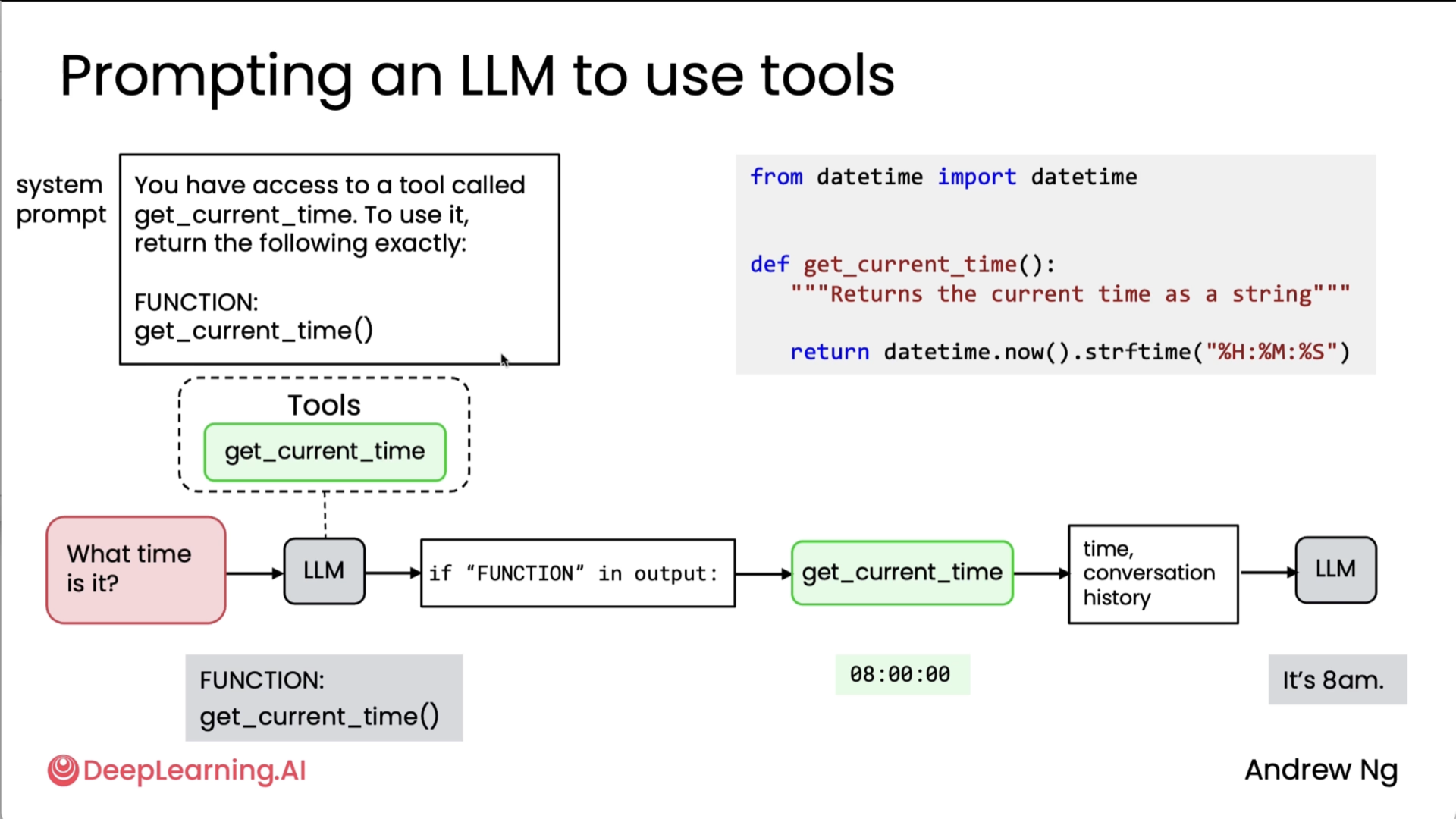
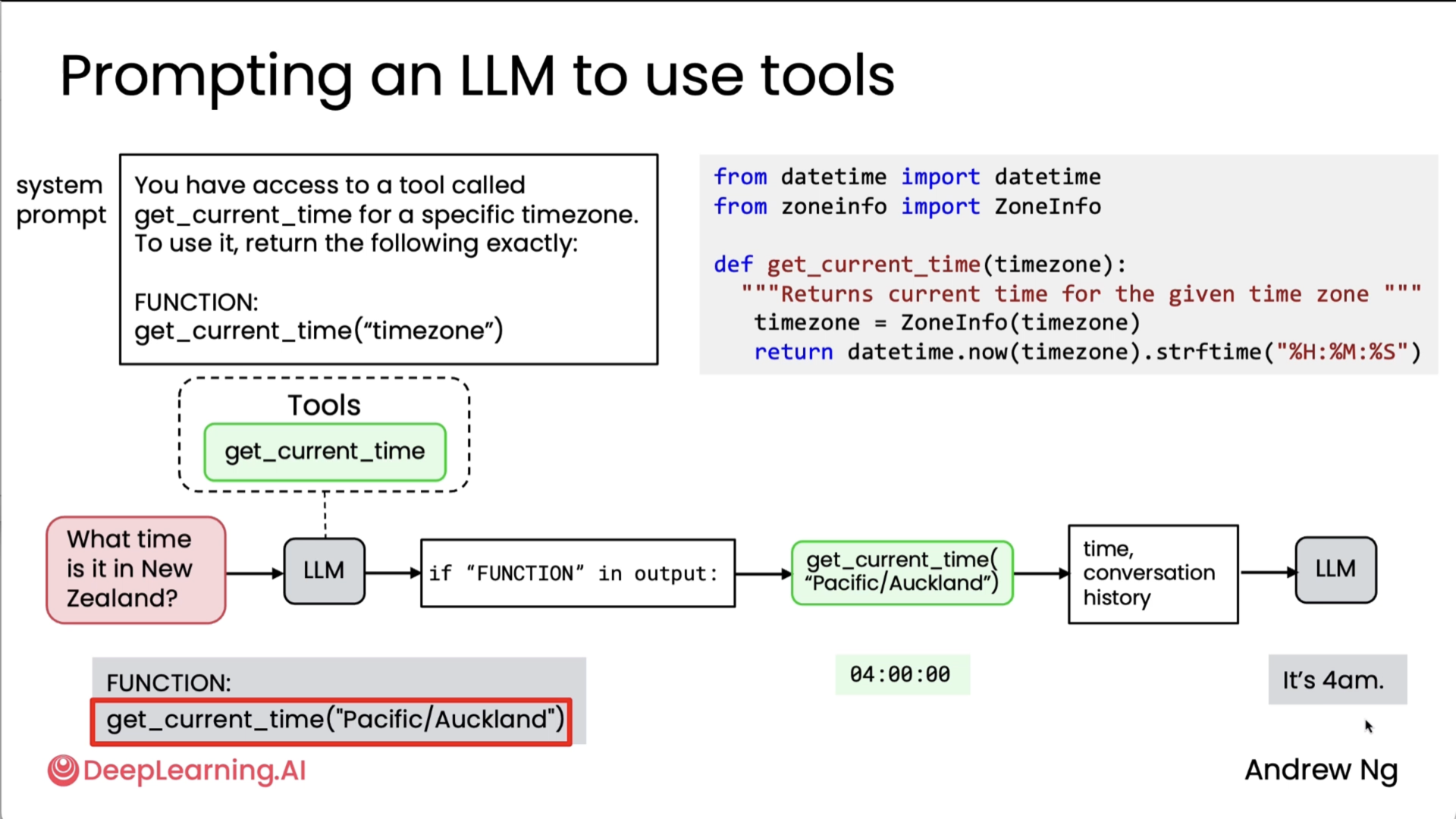
What's happening above: Developer provides function, LLM decides to use it, LLM outputs request, developer's system executes the function, result fed back to LLM.
To summarize, here's the process for getting LLM to use tools - First, you have to provide the tool to the LLM, implement the function, and then tell the LLM that it is available. When the LLM decides to call a tool, it then generates a specific output that lets you know that you need to call the function for the LLM. Then you call the function, get its output, take the output of the function you just called, and give that output back to the LLM, and the LLM then uses that to go on to whatever it decides to do next, which in our examples in this video was to just generate the final output, but sometimes it may even decide that the next step is to go call yet another tool, and the process continues.
Now, it turns out that this all-caps function syntax is a little bit clunky. This is what we used to do before LLMs were trained natively or to know by themselves how to request that tools be called. With modern LLMs, you don't need to tell it to output all-caps function (this was shown as an example in the video, where the tool function was mentioned after a keyword 'FUNCTION'), then search for all-caps function, and so on. Instead, LLMs are trained to use a specific syntax to request very clearly when it wants a tool called.
Tool syntax
Okay, so here was more about the AISuite library which sensei and his friends had developed, but it still captured the essence of tool calling (my first encounter and implementation of tool calling was via Vercel's AI SDK which is also the core functionality of my AI Persona project - Chat AI).
The following two diagram shows it all.
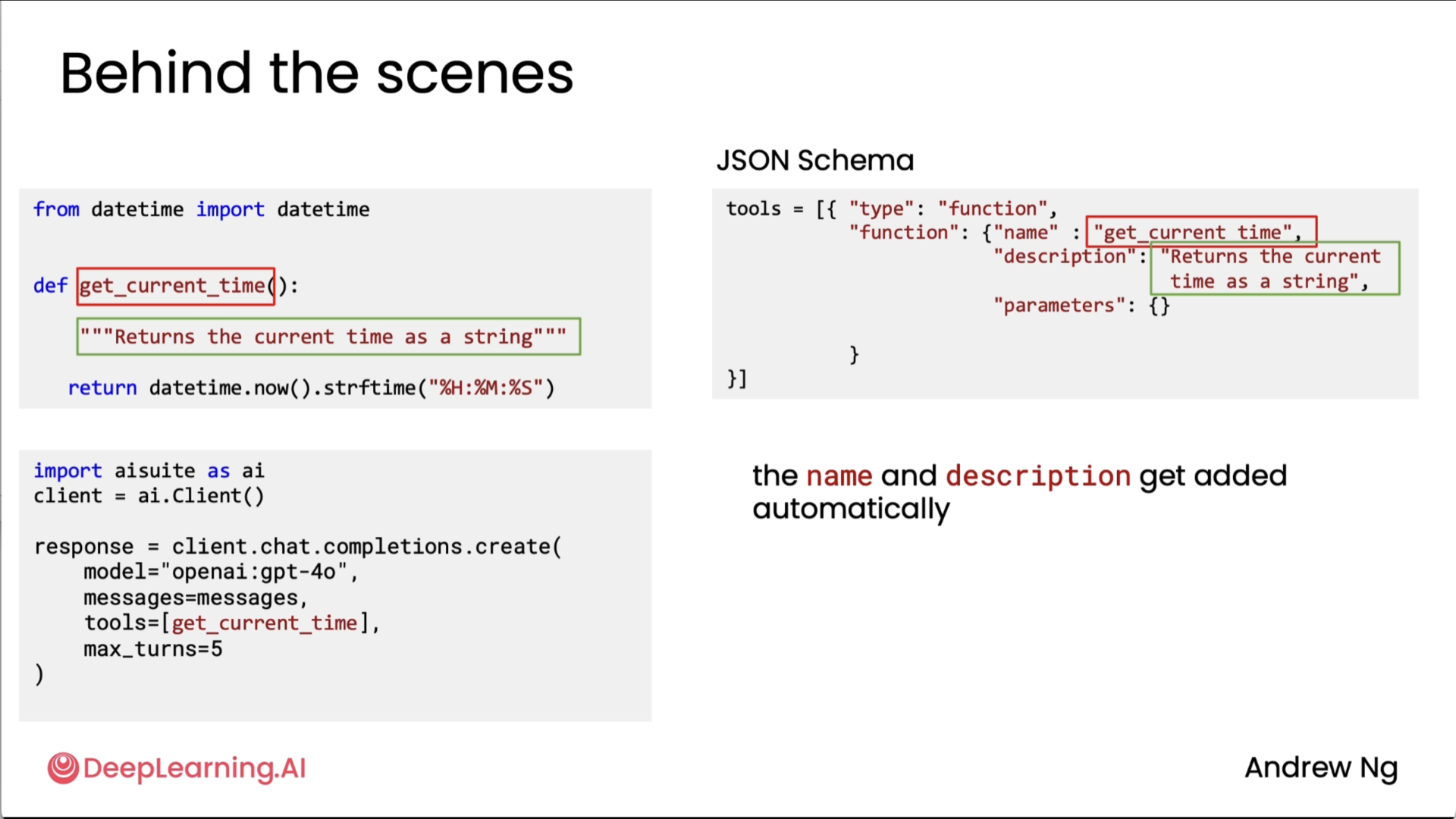
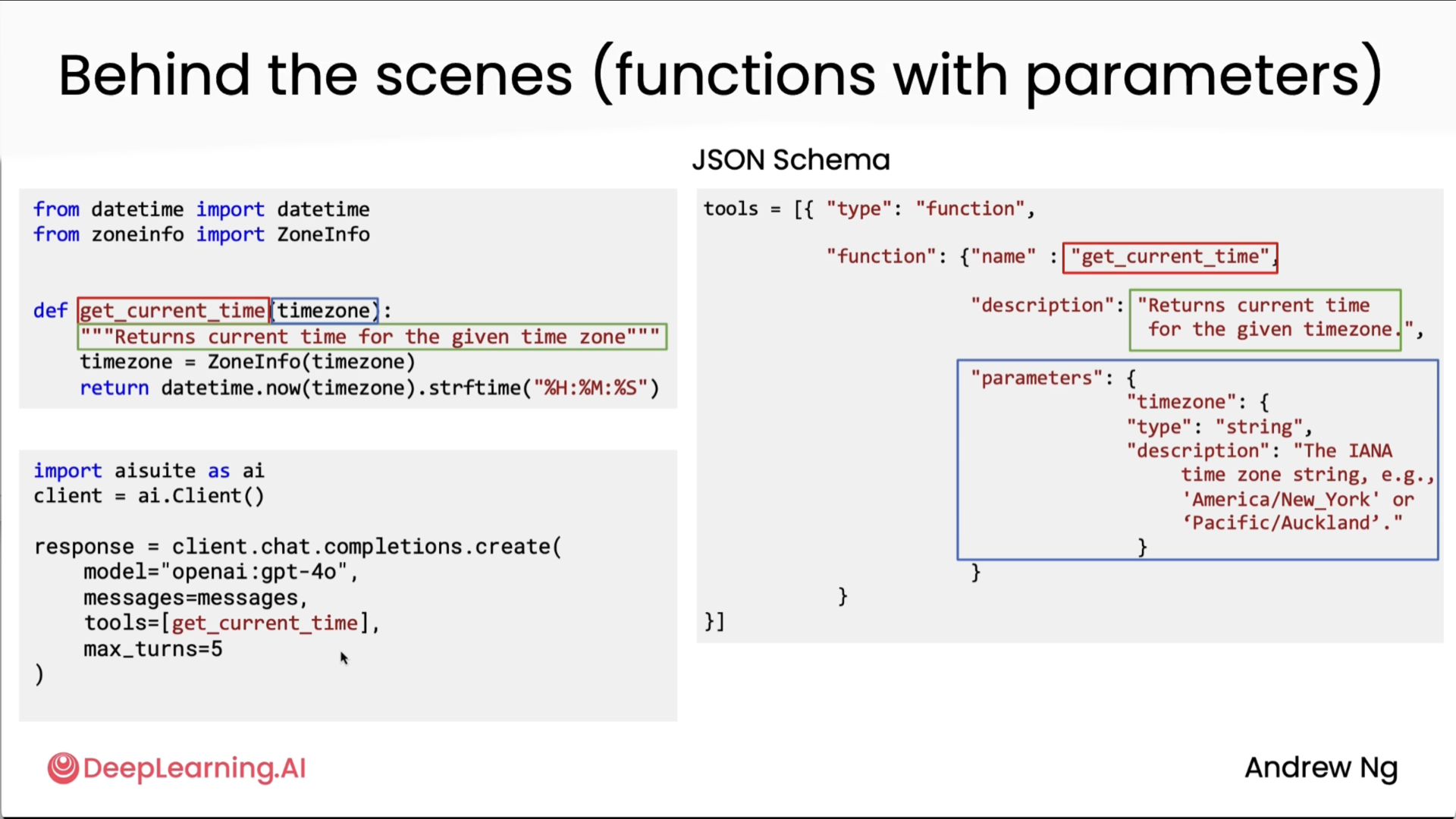
Also, in the second diagram above I am not really sure how the parameter got its description, sensei only mentioned it got from the "documentation", so I am not really sure how that works here. We will prolly see that in the lab implementations hopefully.
Code
Code implementations of the graded/ungraded labs for this are in the notebooks for this module.
Code execution
Okay so I lowkey had a spoiler for this section as I had already learnt about this capability through karpathy sensei in one of his general audience videos. So yes, this is as mind blowing as andrew sensei is telling in the video.
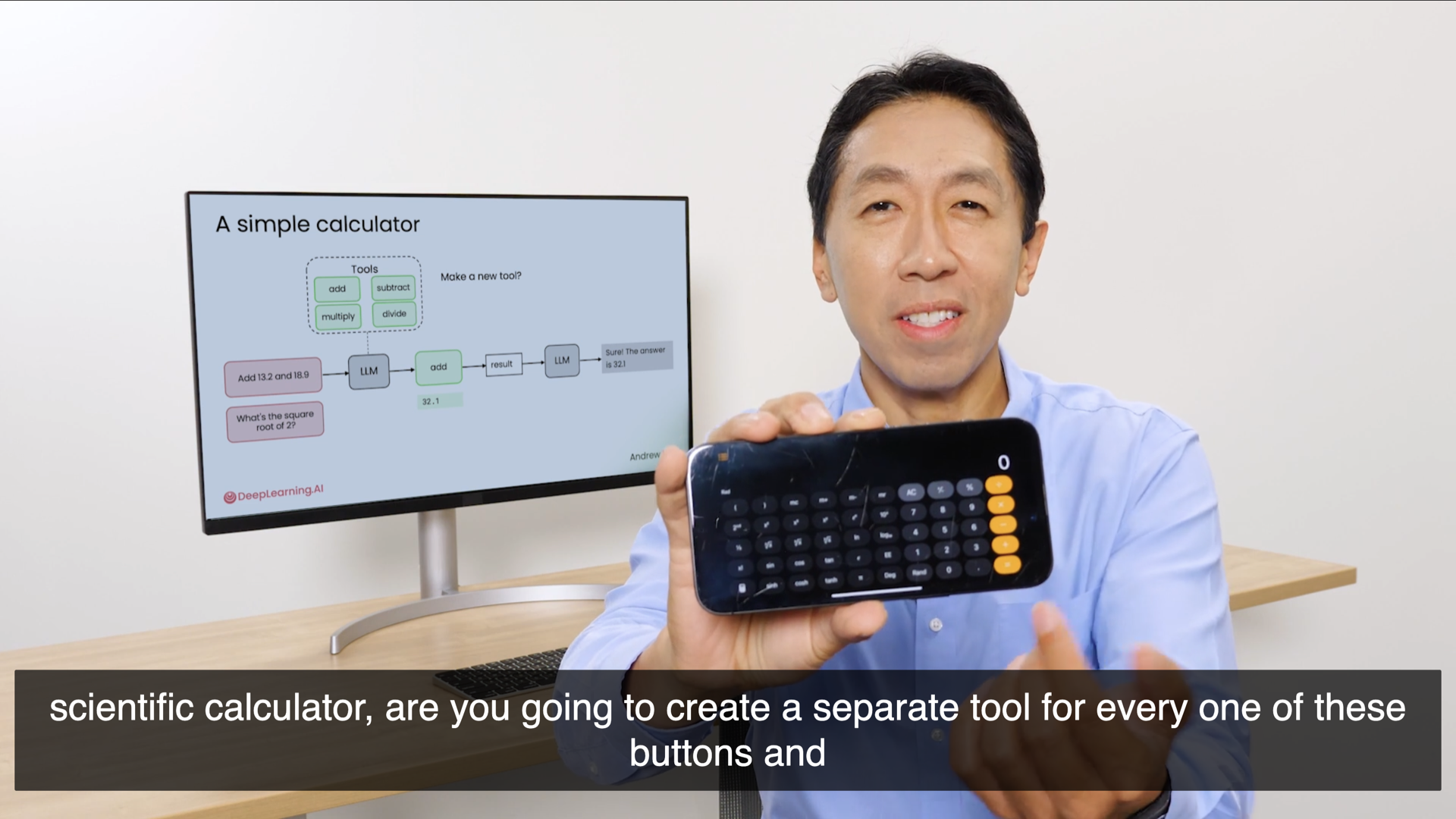
He takes an example of how a simple calculator can be a tool, but in the case of a scientific calculator, instead of making that as a tool, we can ask LLM to execute it as a code instead as it is much easier to calculate exponents via code. And that is what the following two images summarise haha.
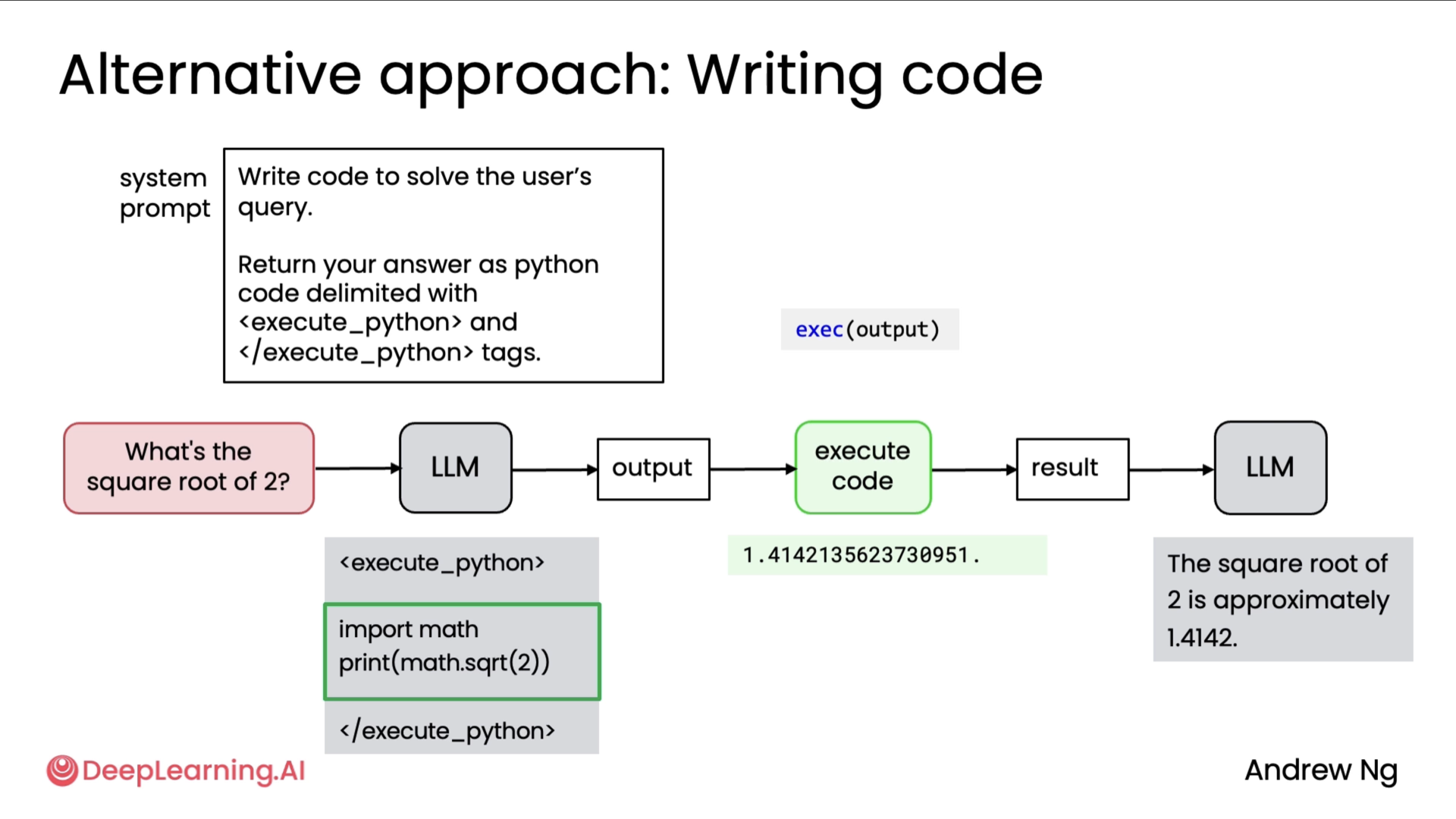
Finally, there was a point where execution of these codes are much safer to be done in a sandbox environment (a similar example to replit where the agent suggested to remove all the python files via rm *.py), some suggested environments were: Docker and E2B. I personally haven't got the chance to use those 2 for code execution specifically, but hopefully I get the chance to soon.
MCP
MCP, the Model Context Protocol, was a standard proposed by Anthropic but now adopted by many other companies and by many developers as a way to give an LLM access to more context and to more tools. There are a lot of developers developing around the MCP ecosystem and so learning about this will give you a lot more access to resources for your applications.
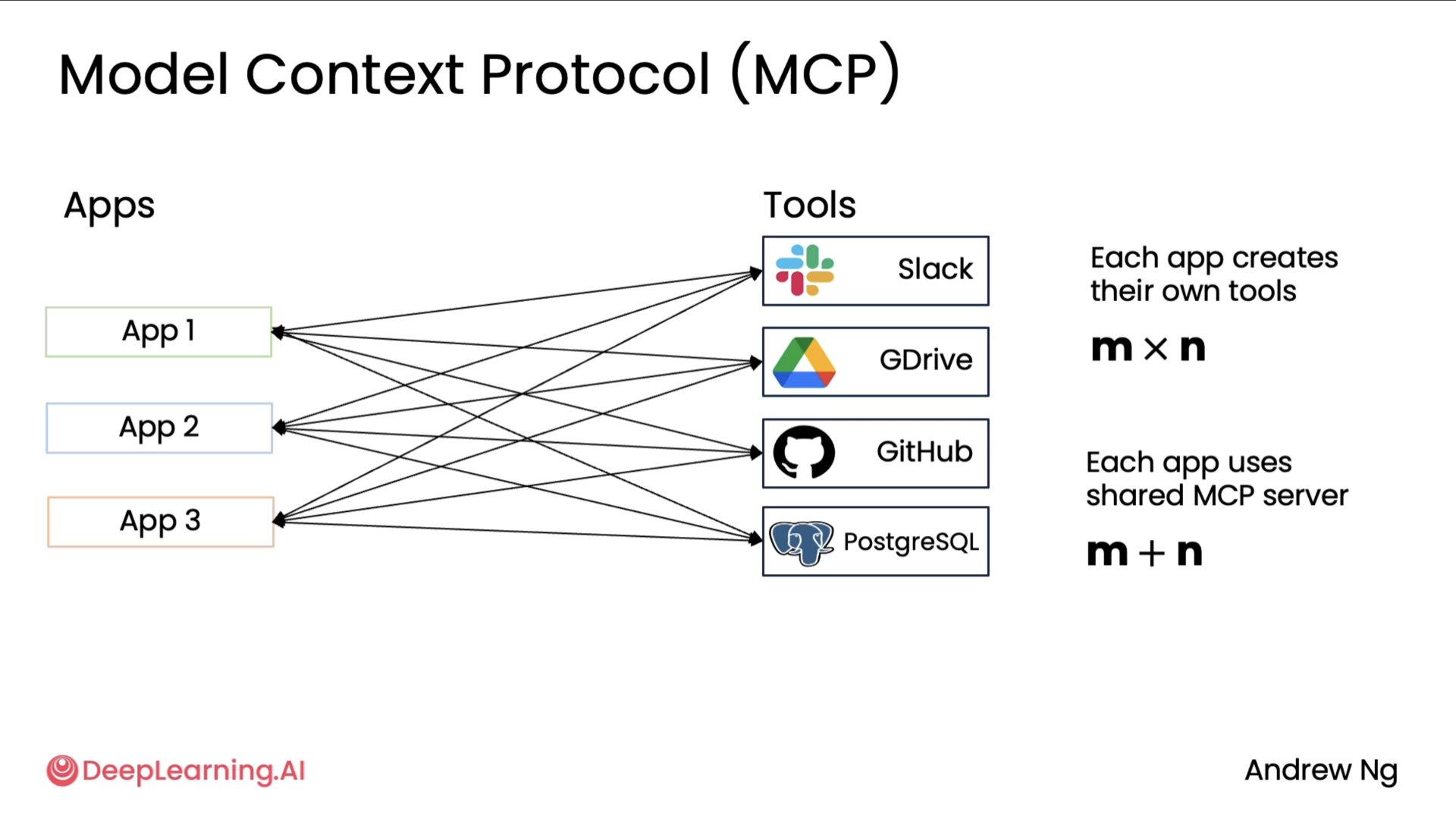
The above diagram shows us the pain points that MCP attempts to solve. If one developer is writing an application that wants to integrate with data from Slack and Google Drive and GitHub or access data from a Postgres database, then they might have to write code to wrap around Slack APIs to have functions to provide to the application, write code to wrap around Google Drive APIs to parse the application, and similarly for these other tools or data sources.
Then what has been happening in the developer community is if a different team is building a different application, then they too will integrate by themselves with Slack and Google Drive and GitHub and so on.
So many developers were all building custom wrappers around these types of data sources. And so if there are M applications being developed and there are N tools out there, the total amount of work done by the community was M times N. What MCP did was propose a standard for applications to get access to tools and data sources so that the total work that needs to be done by the community is now M plus N rather than M times N. The initial design of MCP focused a lot on how to give more context to an LLM or how to fetch data. So a lot of the initial tools were ones that would just fetch data. And if you read the MCP documentation, that refers to these asresources. But MCP gives access to both data as well as the more general functions that an application may want to call.
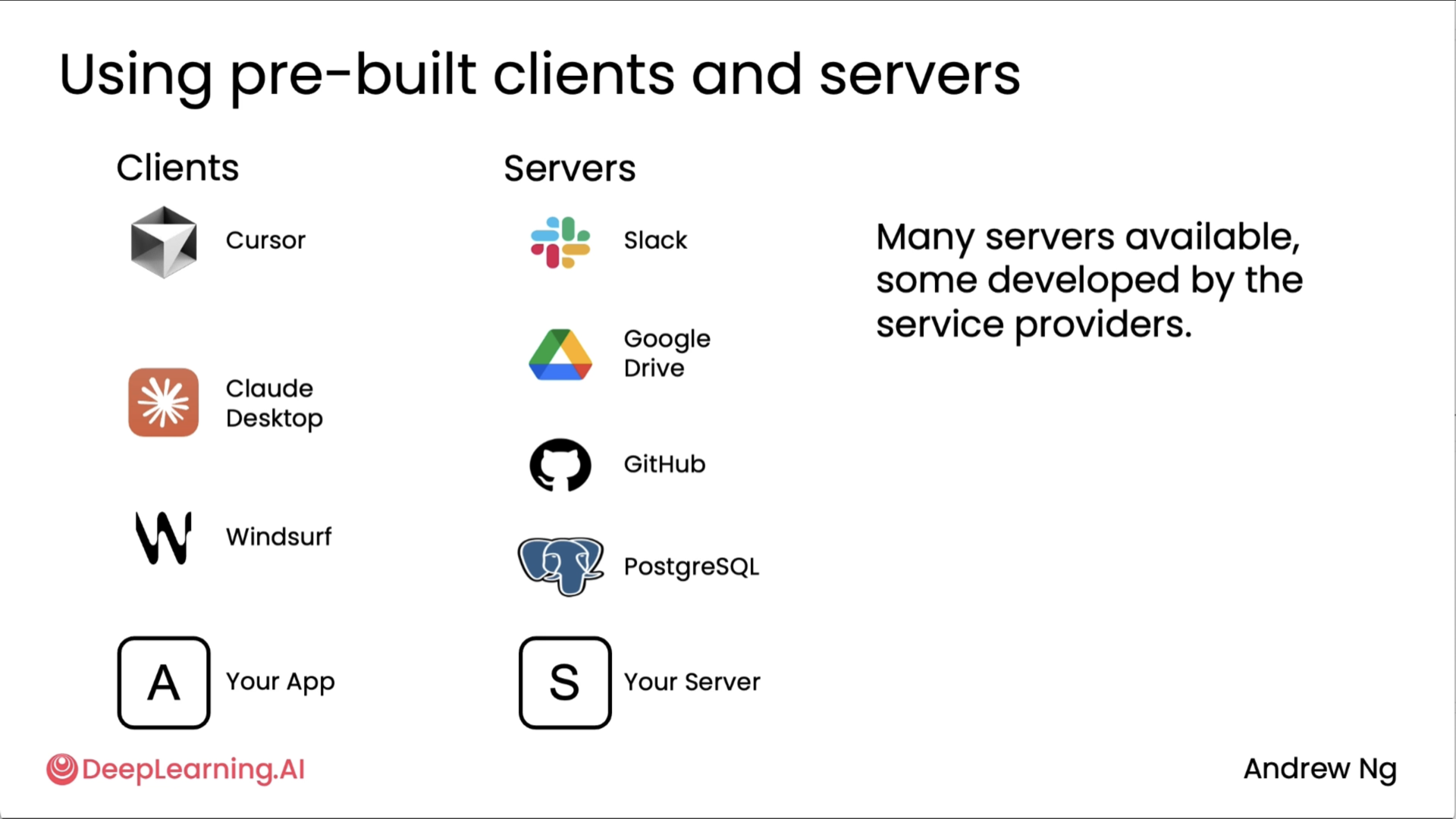
As you can see in the above diagram, It turns out that there are many MCP clients. These are the applications that want access to tools or to data as well as service, which are often the software wrappers that then give access to data in Slack or GitHub or Google Drive or allows you to take actions at these different types of resources. So today there's a rapidly growing list of MCP clients that consume the tools or the resources as well as MCP service that provide the tools and the resources. And I hope that you find it useful to build your own MCP client. Your application maybe one day will be an MCP client. And if you want to provide resources to other developers, maybe you can build your own MCP server someday.
I also loved the example sensei showed on how he used Claude desktop (client) to ask questions on his repos on github (server) like explain the project or what were the last set of PRs. Prolly the simplest example I have seen, shown very well. A detailed breakdown on MCP can be found on my other blog post which was also by DeepLearning.AI!
Copyright © 2024-2026 Muhammed Muzzammil Shah