
Patterns for Highly Autonomous Agents
This section I felt was highly illustrative so I have added the slides which I thought would be essential and relavent during revision. I have added necessary points wherever necessary as well.
Planning workflows
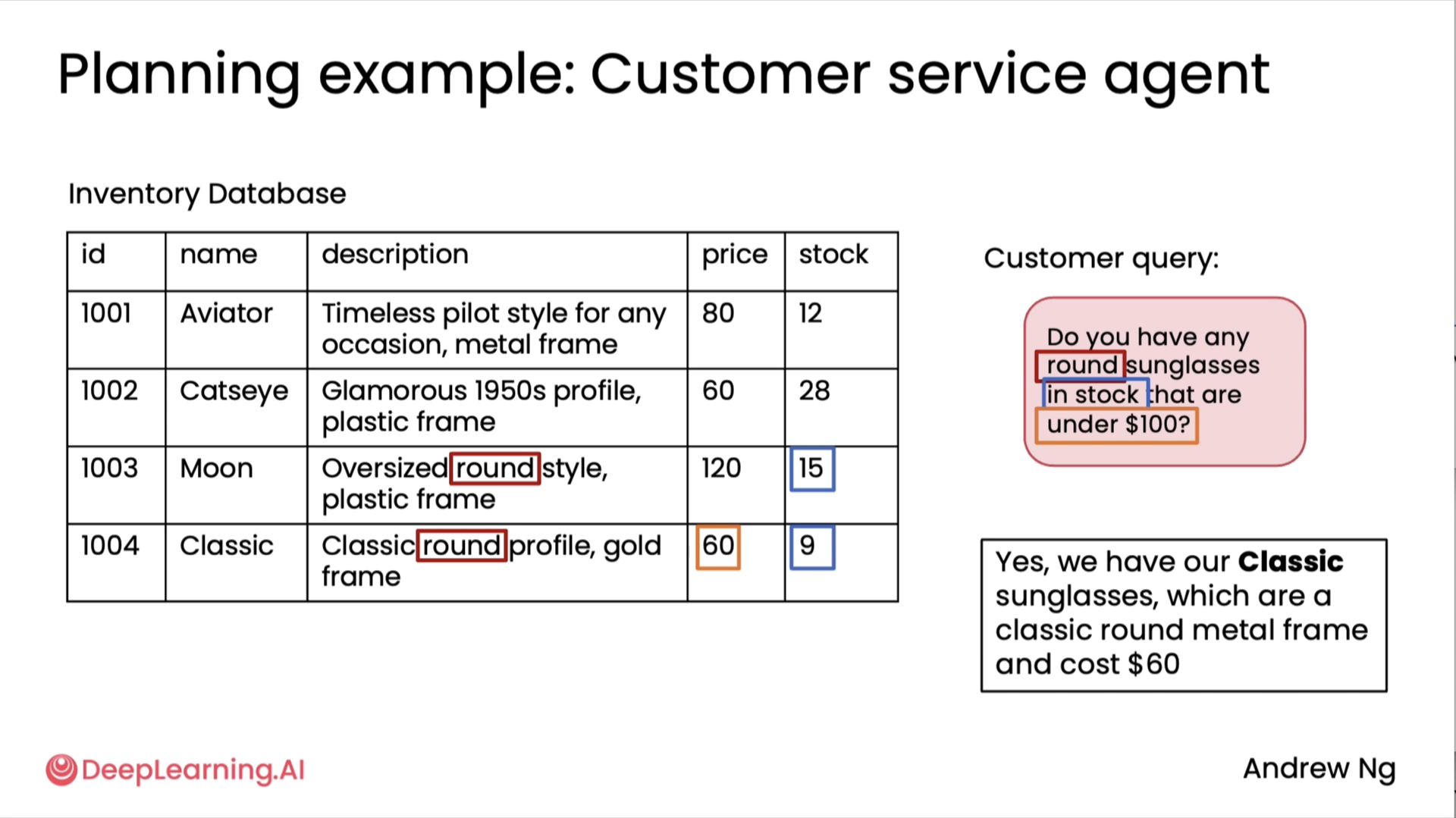
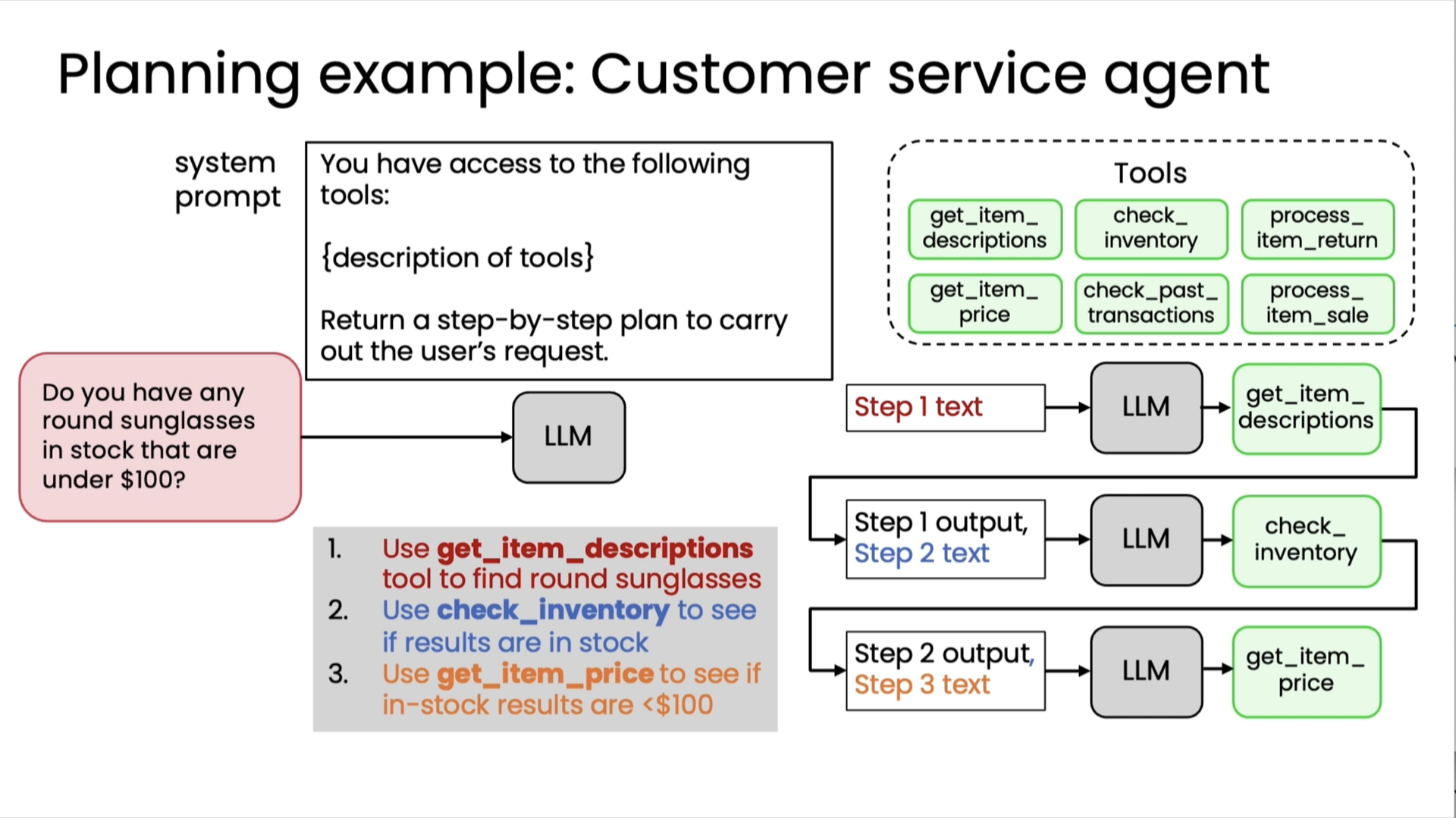
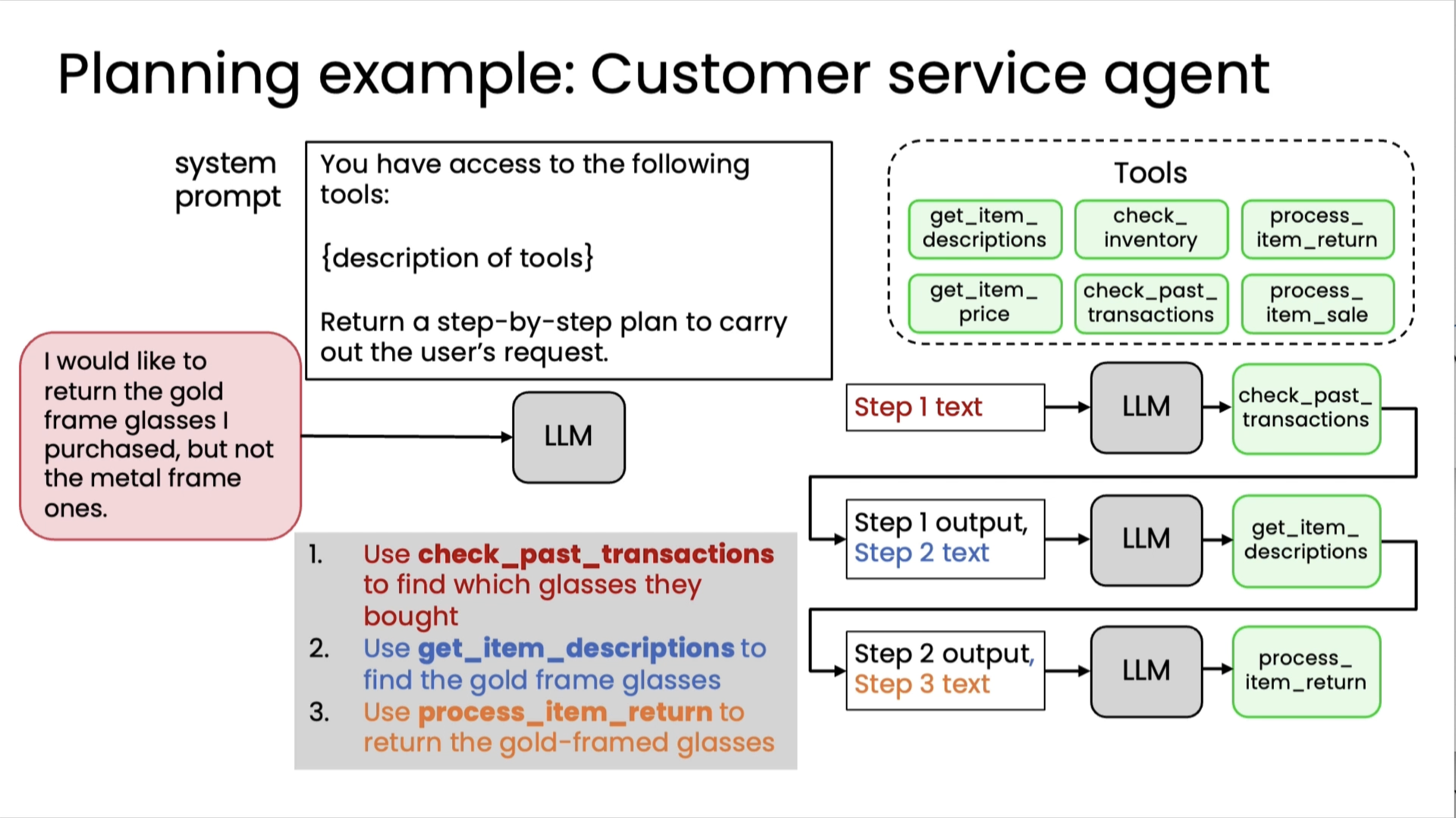
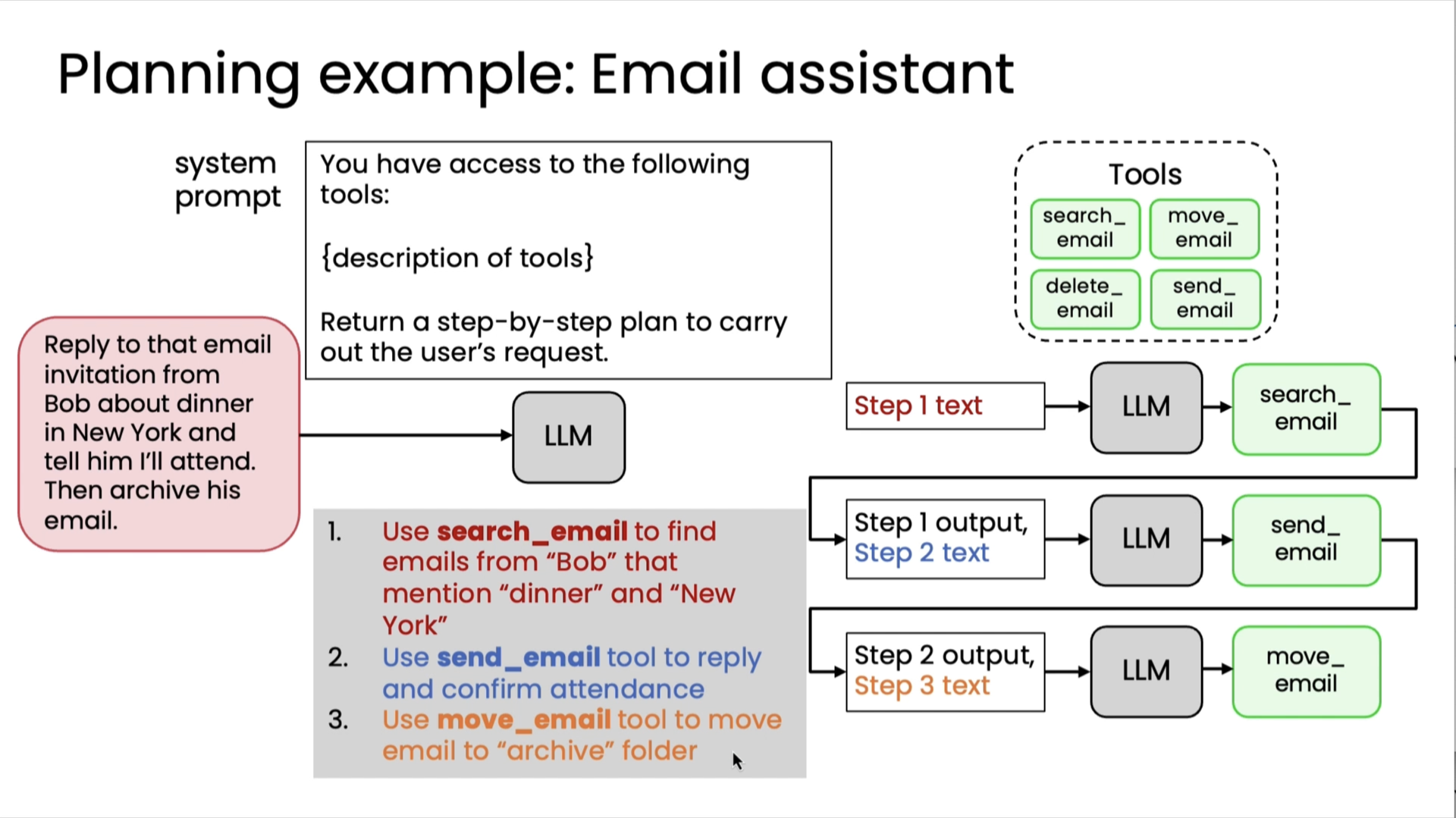
Creating and executing LLM plans
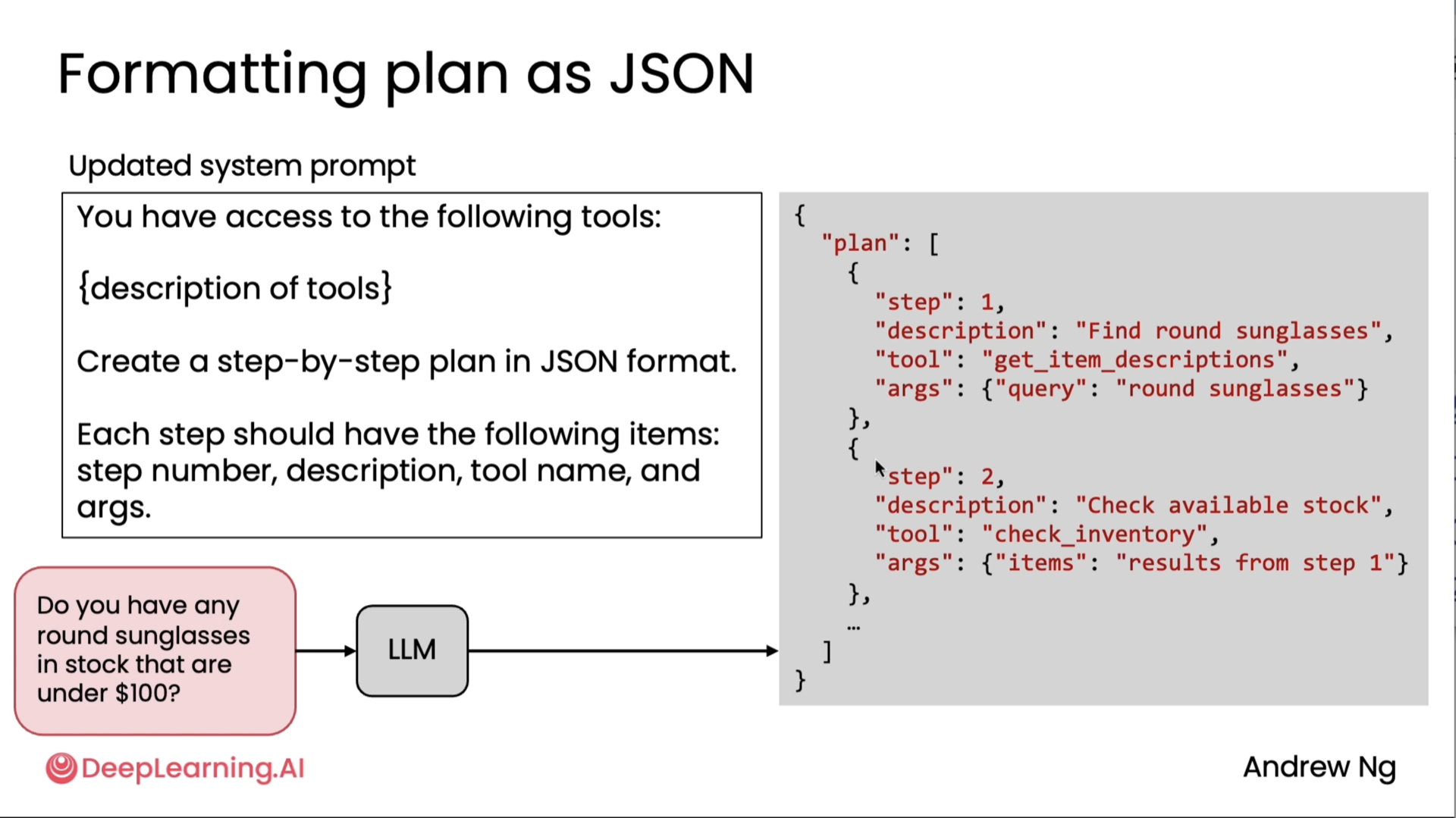
Here, apart from JSON, people also use XML, and last resort is ofcouse via Text.
Planning with code execution
Planning with code execution is the idea that, instead of asking an LLM to output a plan in, say, JSON format to execute one step at a time, why not have the LLM just try to write code and that code can capture multiple steps of the plan, like call this function, then call this function, then call this function, and by executing code generated by the LLM, we can actually carry outfairly complex plans. Let's take a look at when you might want to use this technique.
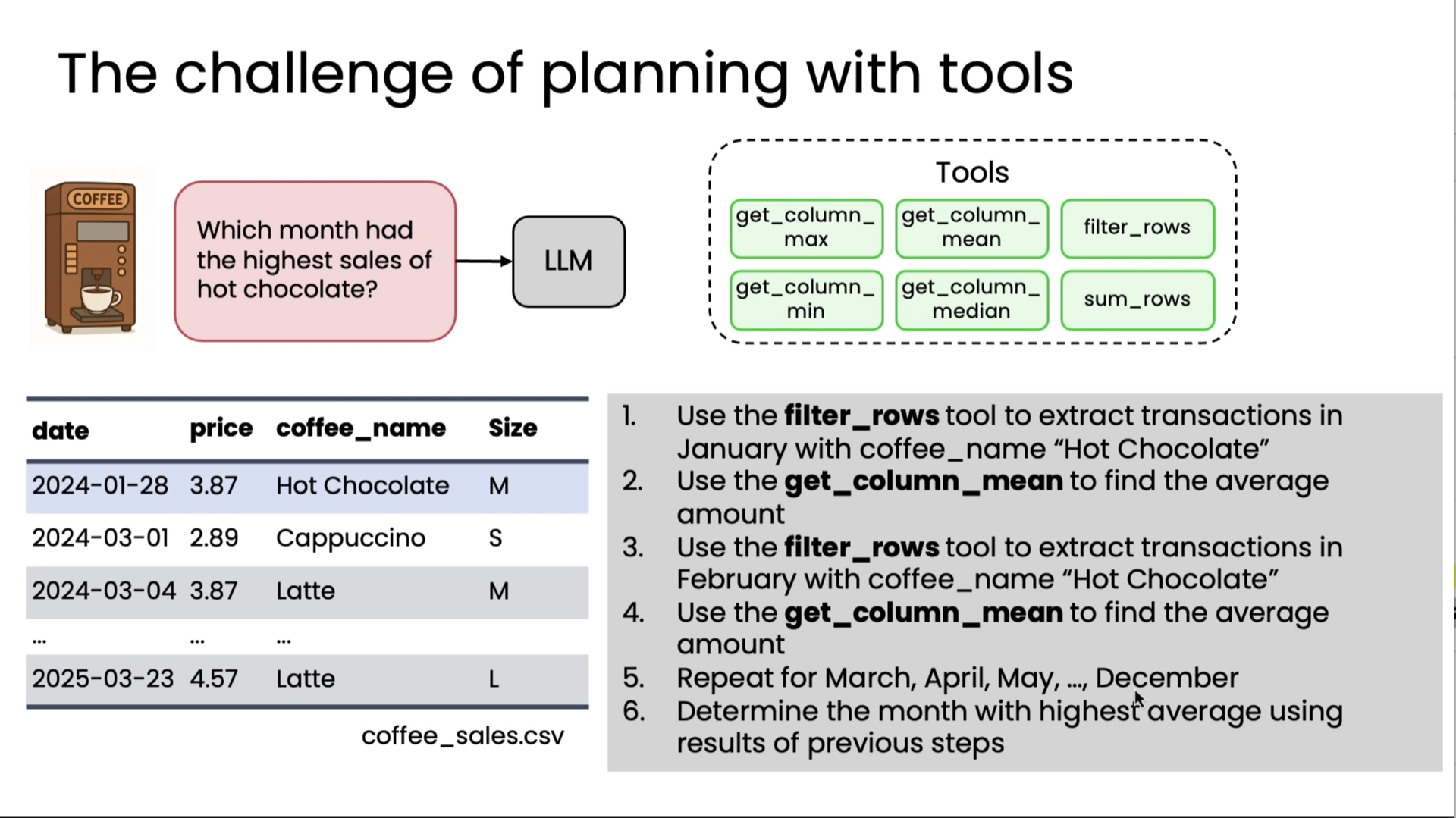
Let's say you want to build a system to answer questions about coffee machine sales based on a spreadsheet with data like this of previous sales. You might have an LLM with a set of tools like these to get column max, to look at a certain column and get the maximum value, so there's a whole answer, what's the most expensive coffee, or get column mean, filter rows, get column min, get column median, sum rows, and so on. So these are examples of a range of tools you might give an LLM to process this spreadsheet or these rows and columns of data in different ways. Now, if a user were to ask which month had the highest sales of hot chocolate, it turns out that you can answer this query using these tools, but it's pretty complicated. You'd have to use filter rows to extract transactions in January for hot chocolate, then do stats on that, and then repeat for February, figure out stats on that, then repeat for March, repeat for April, repeat for May, all the way through December, and then take the max, and so you can actually string it together with a pretty complicated process using these tools, but it's not such a great solution. But worse, whether someone to ask how many unique transactions were there last week, well, these tools are insufficient to get that answer, so you may end up creating a new tool, get unique entries, or you may run into another query, what were the amounts of last five transactions, then you have to create yet another tool to get the data to answer that query.
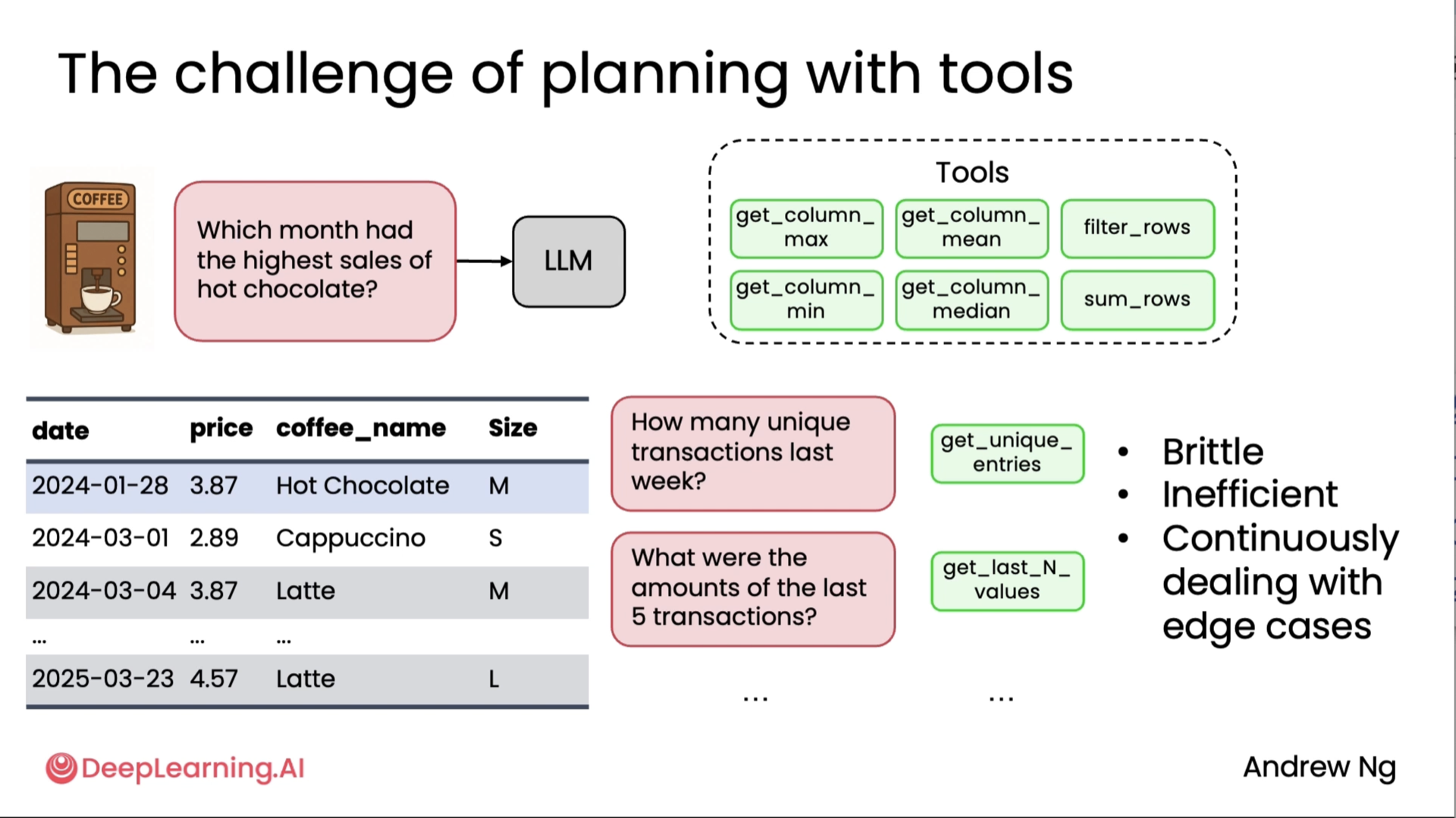
And in practice, we've seen teams, when they run across more and more queries, end up creating more and more and more and more tools to try to give the other enough tools to cover all the range of things someone may ask about a dataset like this. So this approach is brittle, inefficient, and I've seen teams continuously dealing with edge cases and trying to create more tools, but it turns out there is a better way, which is if you were to prompt LLM to say, please write code to solve the user's query and return your answer as Python code, maybe delimited with these beginning and ending execute Python XML tags, then LLM can just write code to load the spreadsheet into a data processing library, here it's using the pandas library, and then here it actually is coming up with a plan.
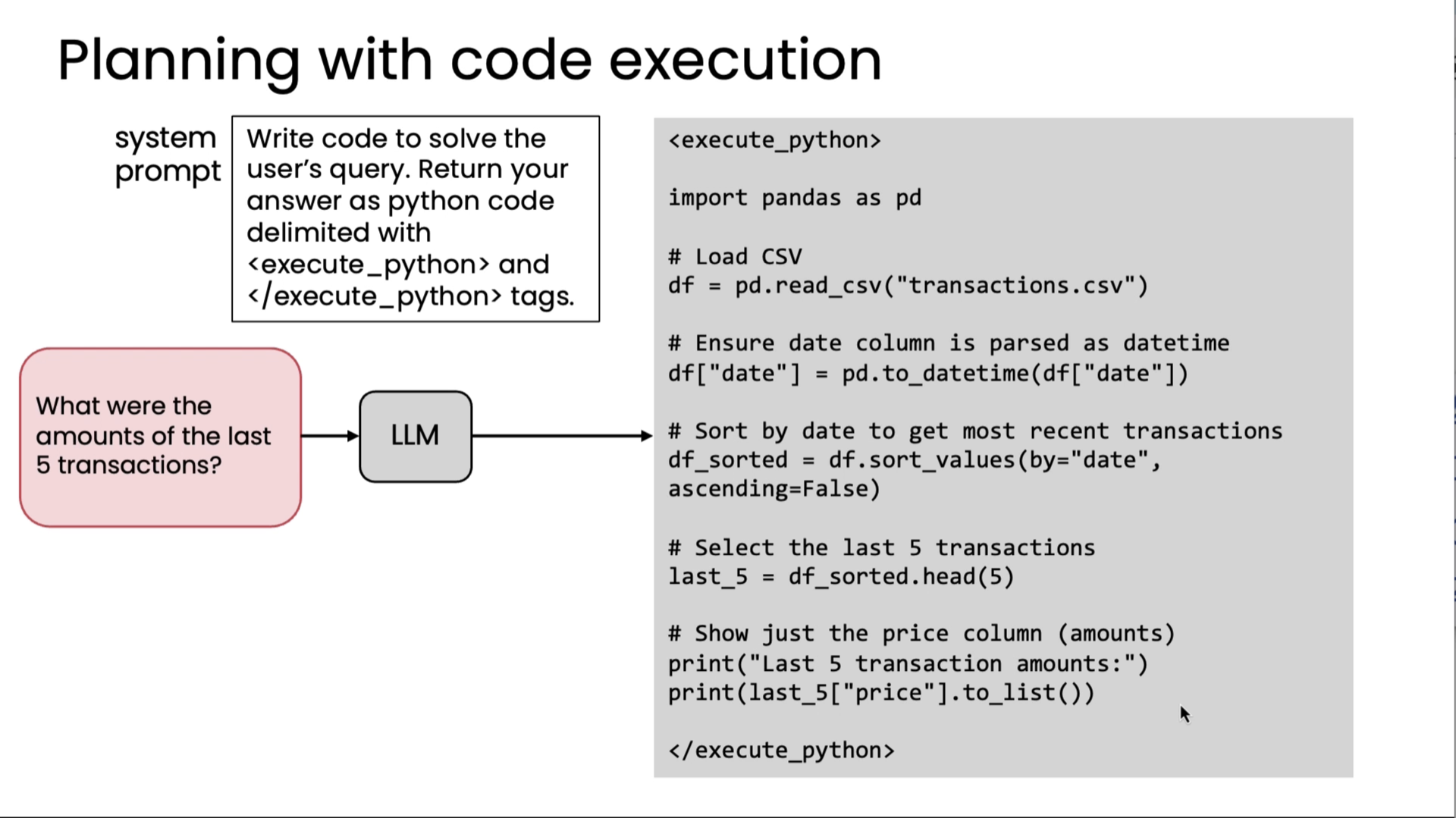
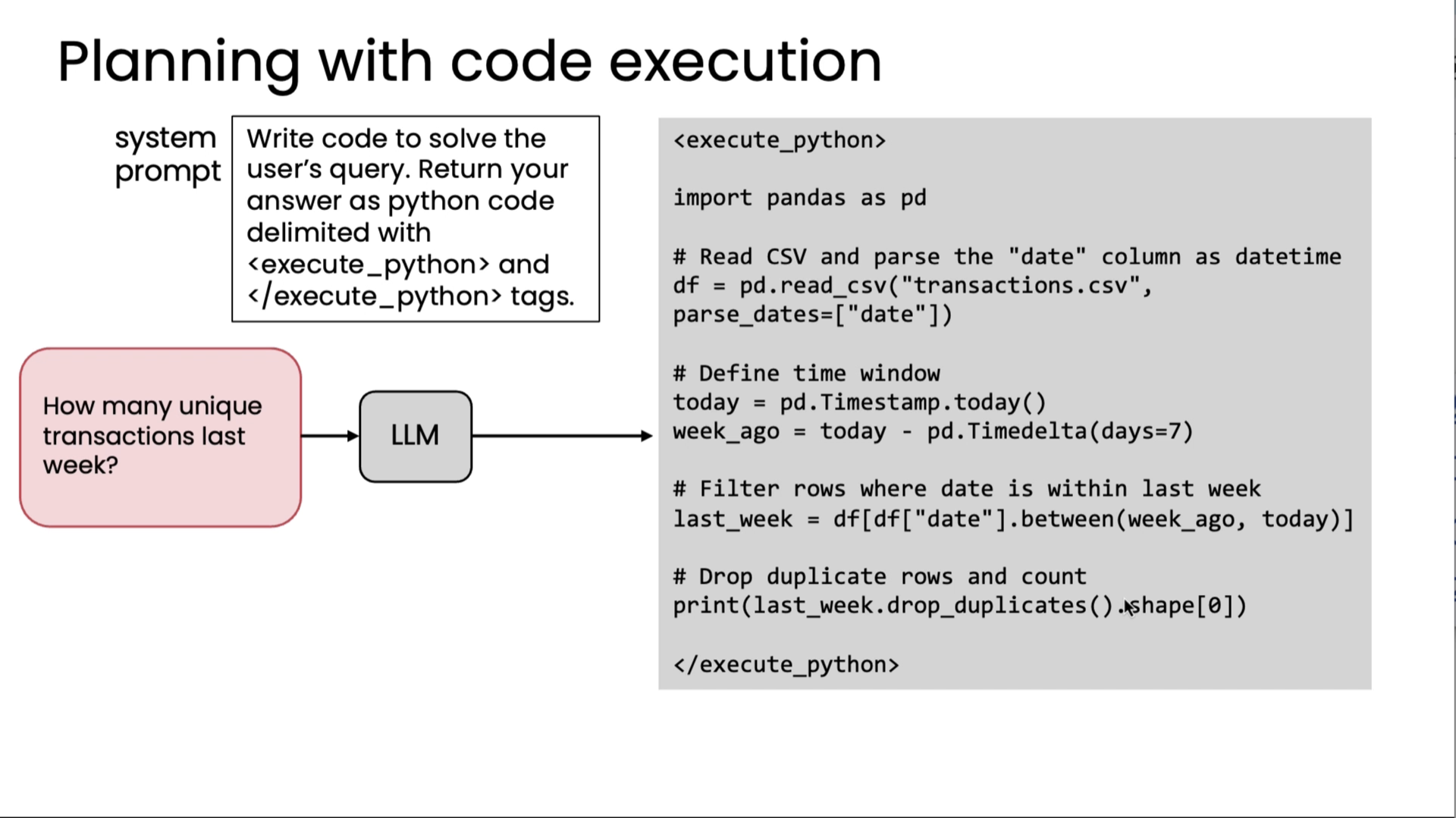
The plan is, after loading the CSV, first it has to ensure the date column is parsed a certain way, then sort by the date, select the last five transactions, show just the price column, and so on. But these are the steps one, two, three, and four, and five, say, of the plan. Because a programming language like Python, and in this example, also with the pandas data processing library imported, because this has many built-in functions, hundreds or even thousands of functions, and moreover, these are functions that the LLM has seen a lot of data on how to call when. By letting your LLM write code, it can choose from these hundreds or thousands of relevant functions that it's already seen a lot of data on when to use, so this lets it string together different choices of functions to call from this very large library in order to come up with a plan for answering a fairly complex query like this.
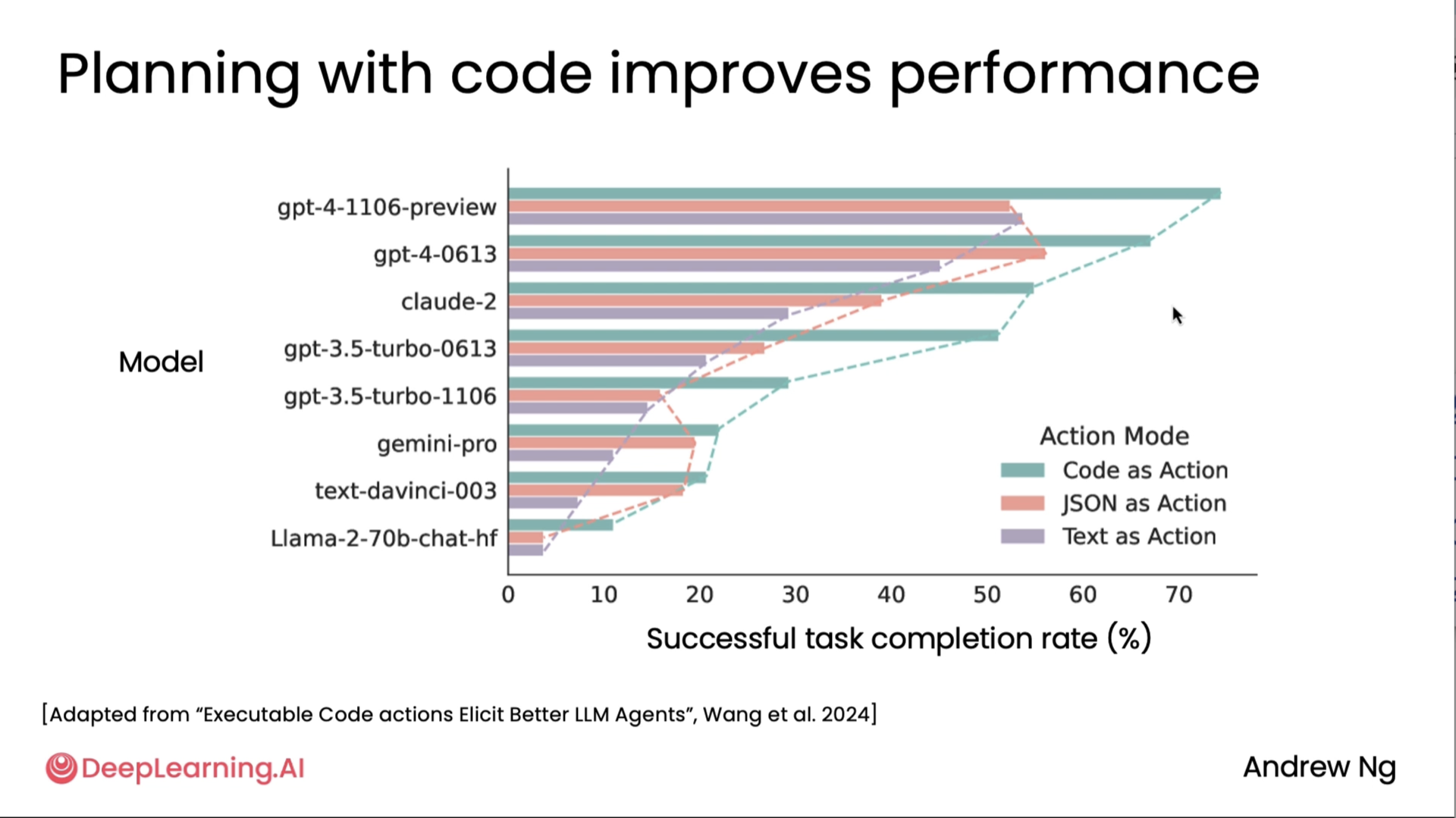
Lastly, it turns out that planning with code works well. From this diagram adapted from a research paper by Xinyao Wang and others, you can see that for many different models for the tasks that they examined, code as action in which the LLM is invited to write code and take actions through code, that is superior to having it write JSON and then translate JSON into action or text. And you also see a trend that writing code outperforms having the LLM write a plan in JSON, and writing a plan in JSON is also a bit better than writing a plan in just plain text. Now, of course, there are applications where you might want to give your custom tools to an LLM to use, and so writing code isn't for every single application. But when it does apply, it can be a very powerful way for an LLM to express a plan.
Multi-agentic workflows
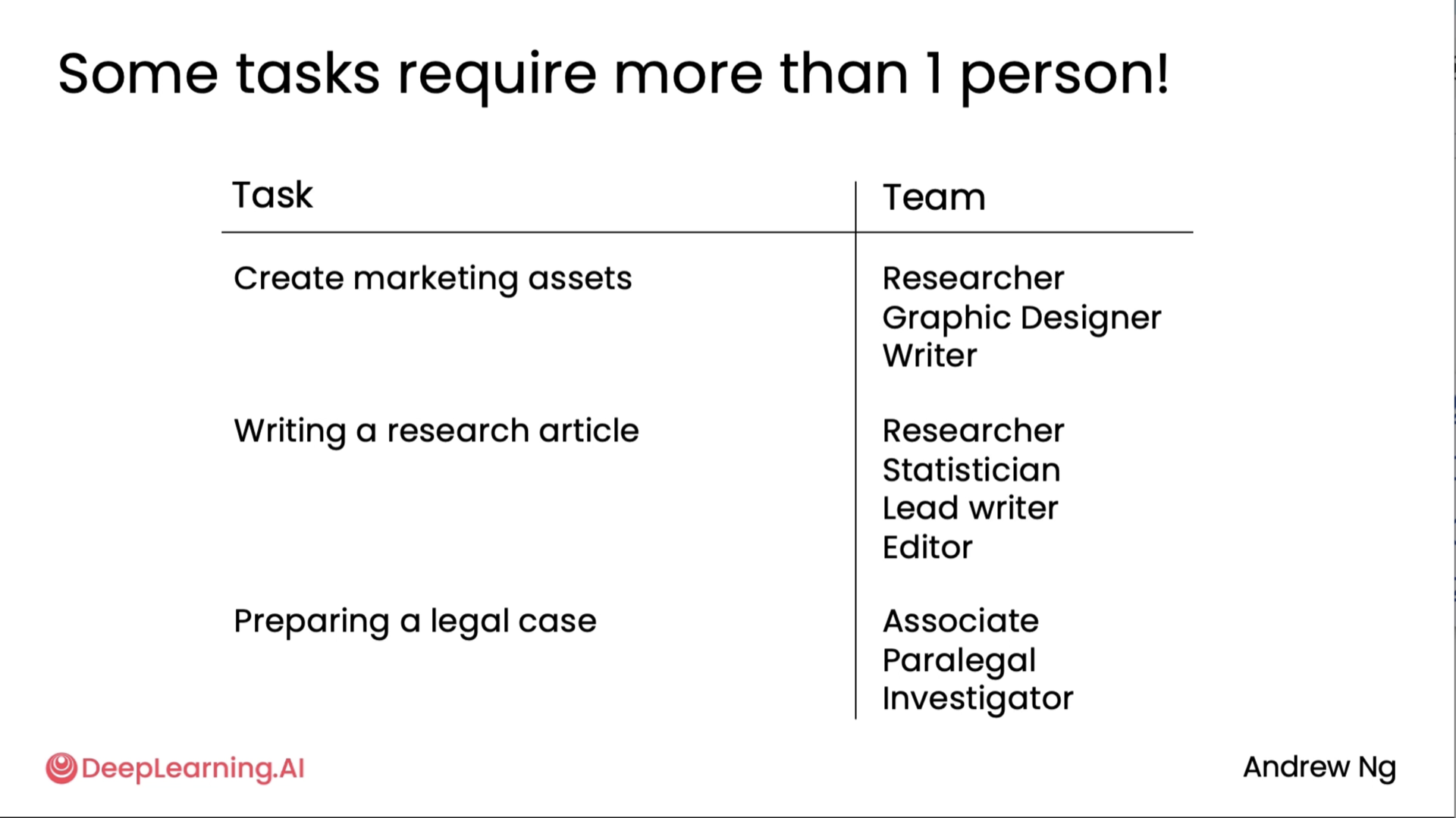
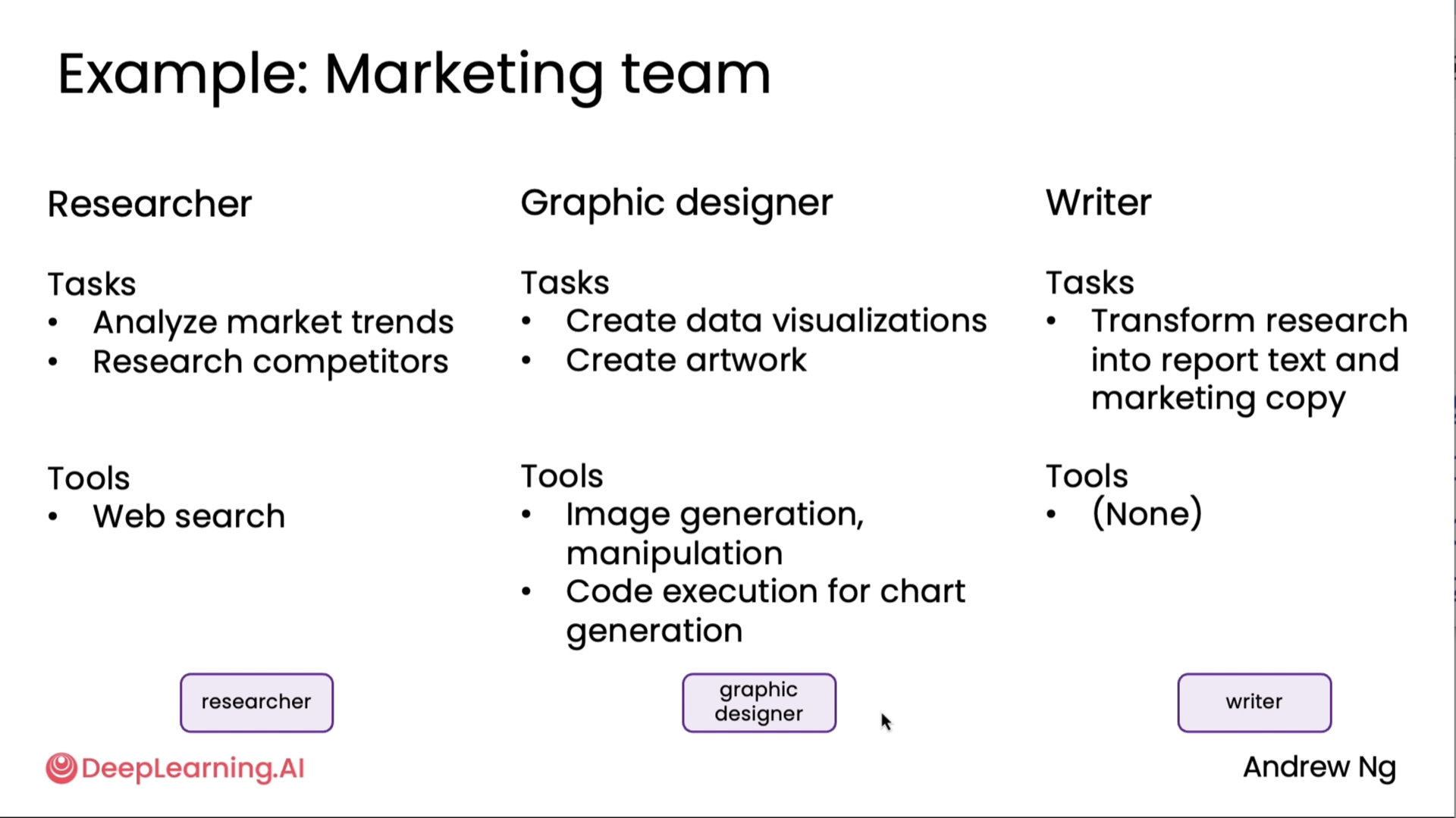
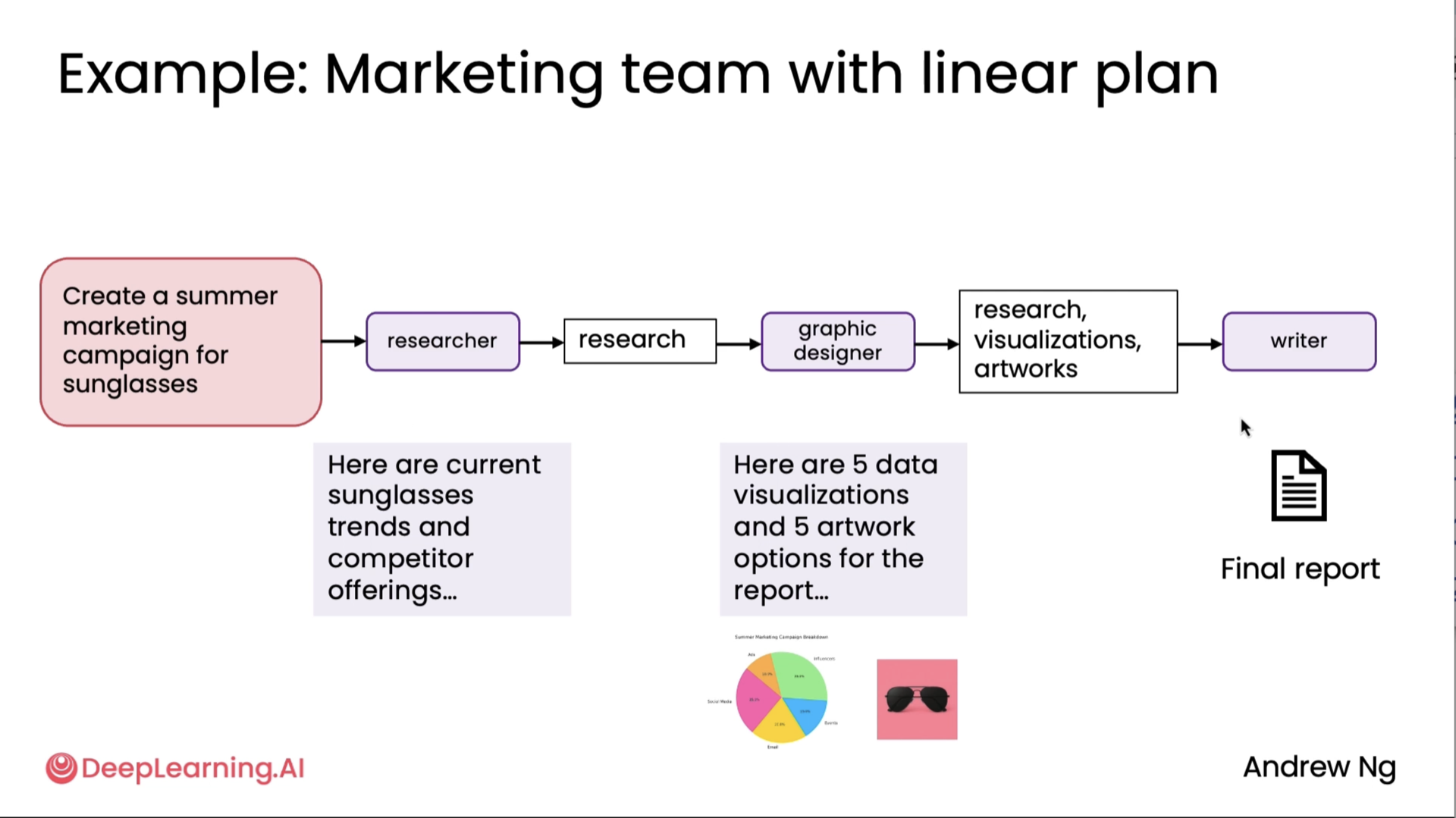
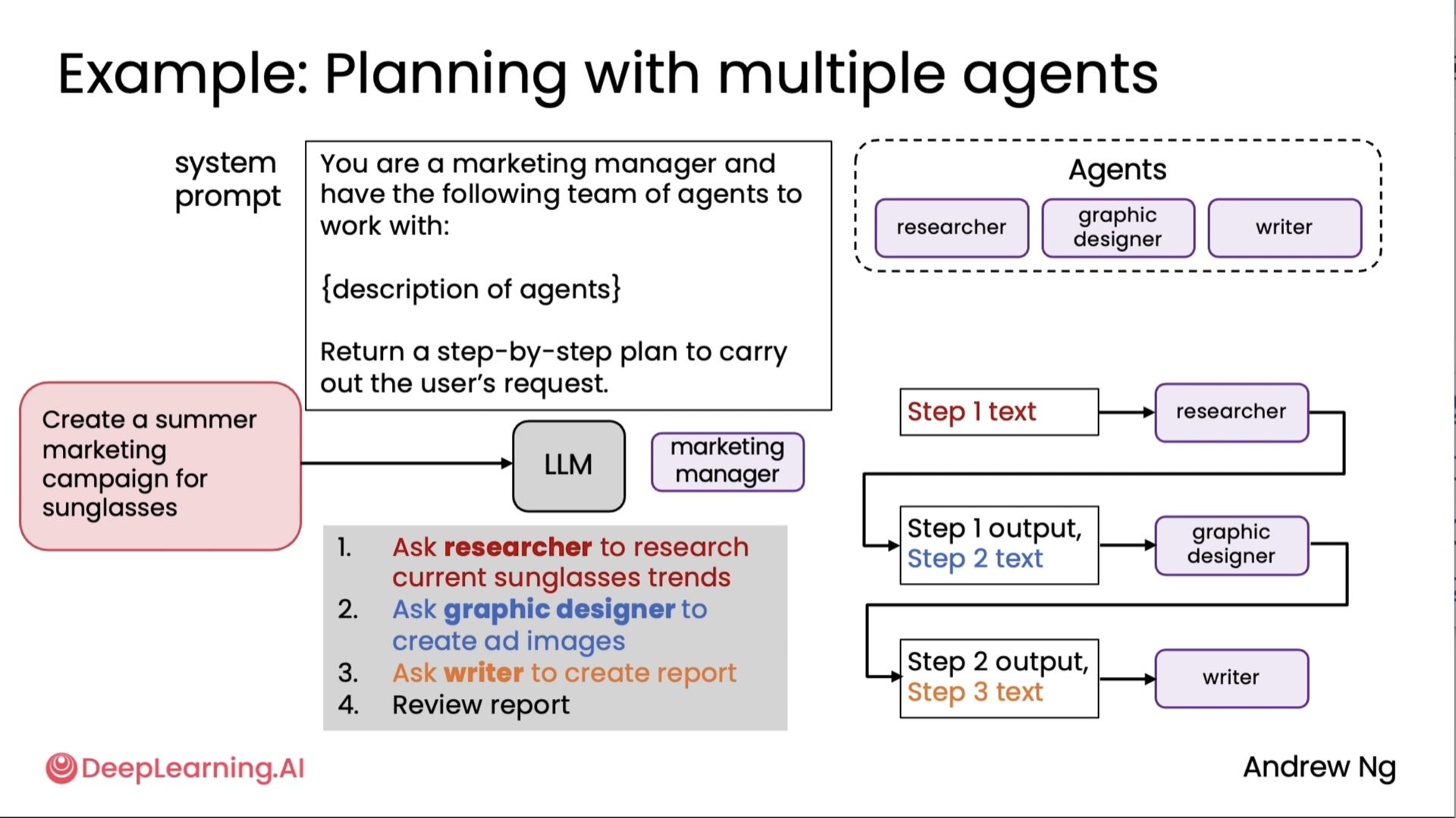
Communication patterns for multi-agent systems
This is an extension to the above diagrams^
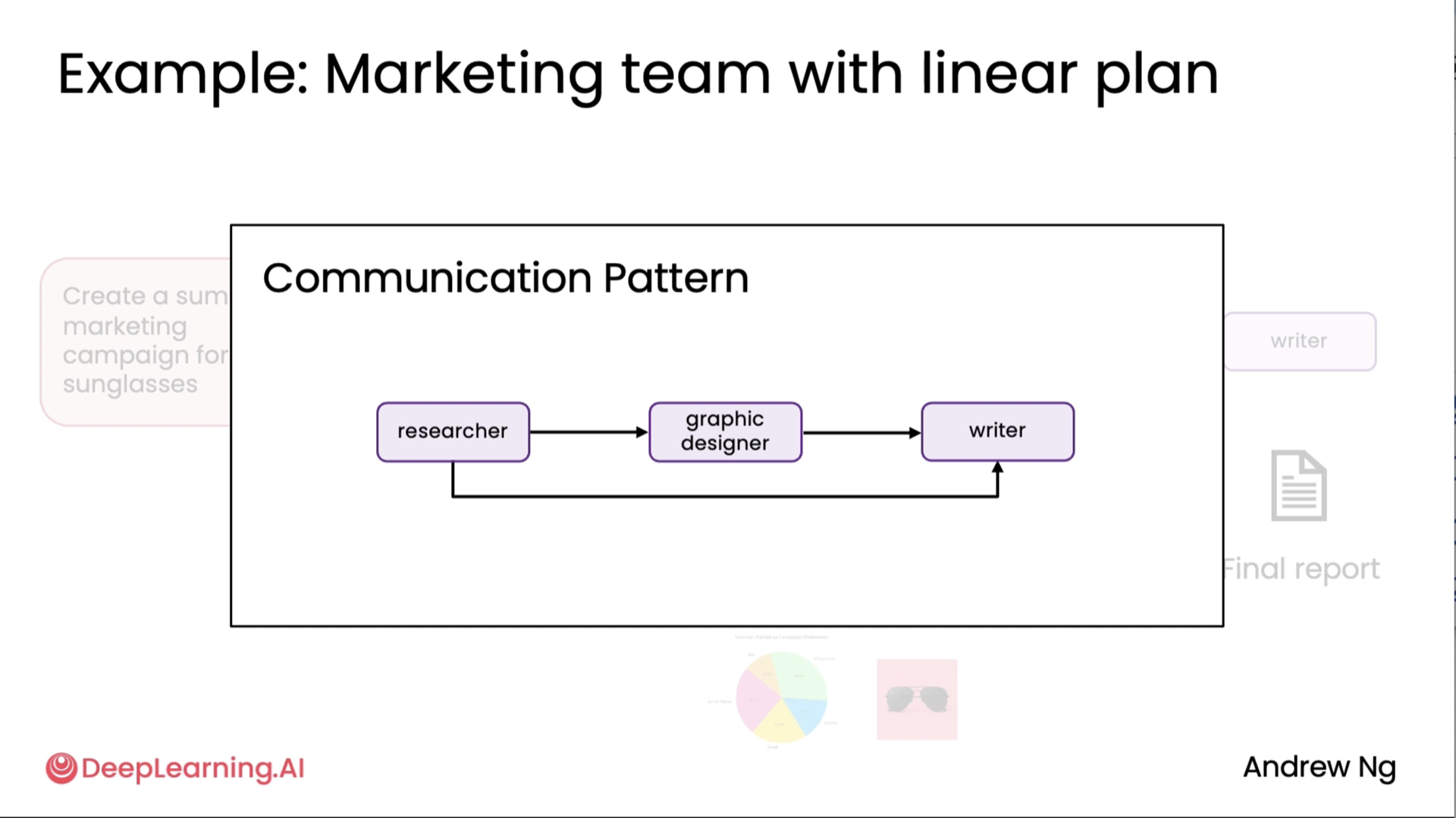
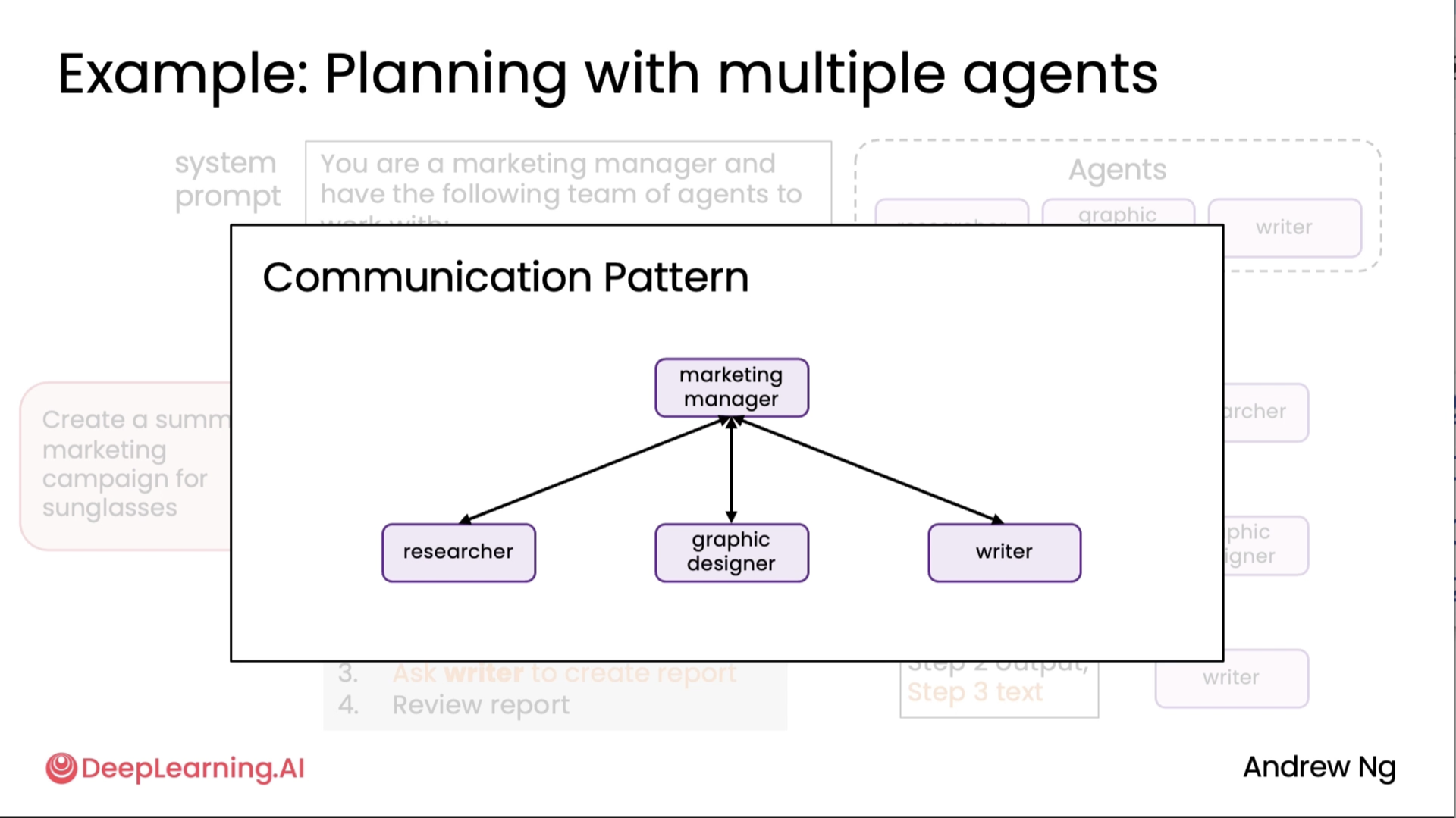
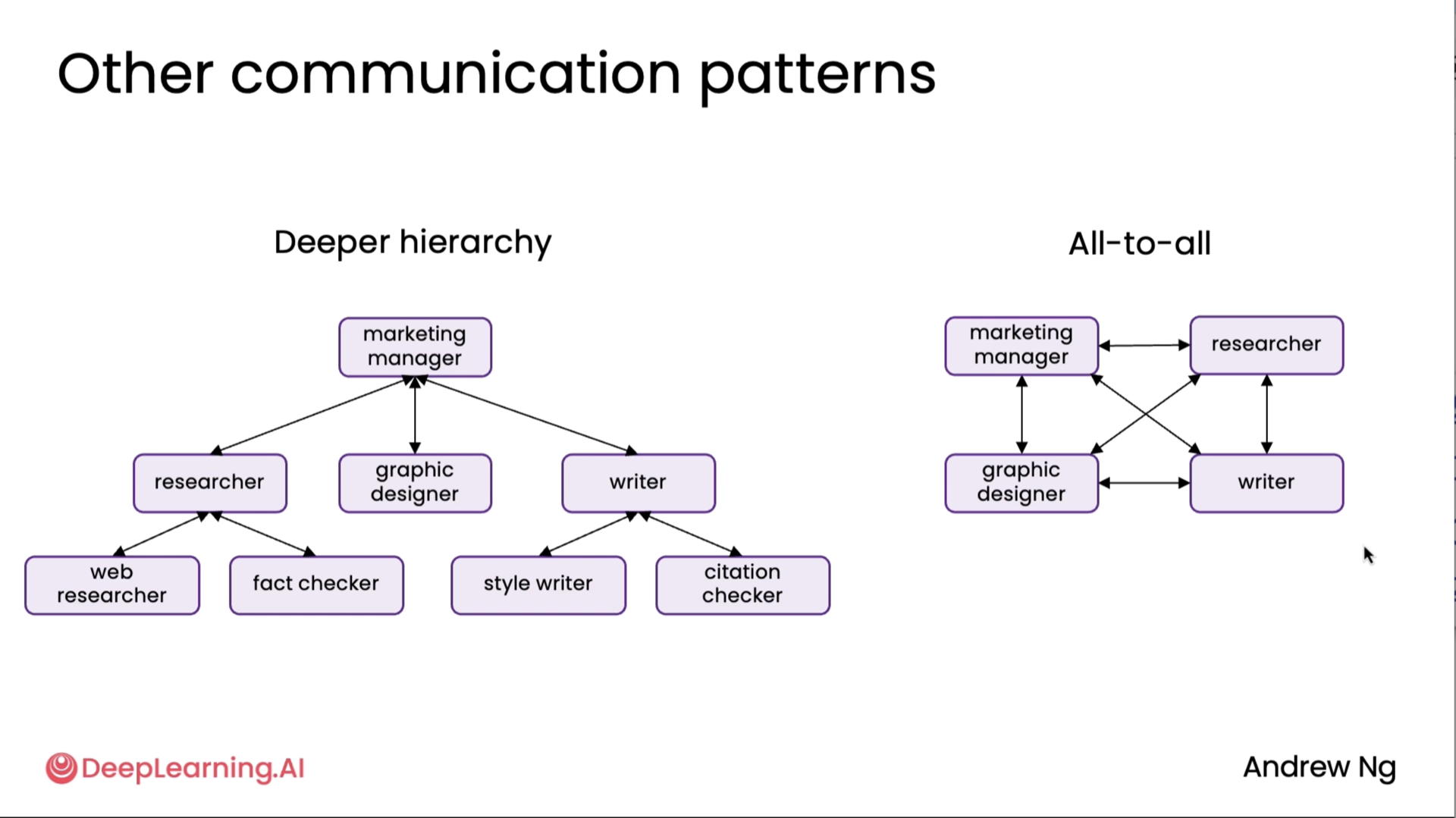
Note: All-to-all approach is not really feasible at the moment so we normally would avoid that.
Code
Code implementations of the graded/ungraded labs for this are in the notebooks for this module.
Copyright © 2024-2026 Muhammed Muzzammil Shah